

UHD Pro, 4K Video Recorder, HDMI Capture DVR with H.265/H.264 Codec, Cinematic 4K@24fps Recording(Up to 4K@30fps), No PC Required.
$289.50
Related Products


Product description

Ultra-HD video is absolutely breathtaking. Have you ever thought about making them truly yours for a long time?
Here comes ClonerAlliance UHD Pro with the features below:
Standalone 4K UHD Digital Video Recorder
True Ultra-HD recording at Cinematic-FPS: 3840*2160@24fps(Up to 4K@30fps).Captures 4K UHD videos or gameplay from DVR, STB, TV sticks, disc players, camcorders, DSLR, game consoles, etc onto a USB flash drive or external hard disk. PC Free.Max Recording Resolution: 4K@30fps. 4K@60fps input will be downscaled and recorded as 1080p@60fps.
Supports both H.264 and H.265 Codec
Both H.264 and H.265 codecs are supported. Switch the codecs anytime as your need with one press.H.264 codec provides higher image quality and requires more storage capacity than H.265.H.265 codec can compress videos twice as much as H.264 at a similar viewing experience. Saves more capacity and reduces more cost.
Instant Playback 4K Ultra-HD on Your TV
Instantly Playback recorded Ultra-HD videos on USB storage devices with the remote.No need to get up from your couch to check the status of the recording anymore.
Easy to use for everyone
Suitable for both beginners and professional video creators.No matter what age you are, you can master it quickly.
Vibrant 4K Experiences Worth Saving.

Keeping Your 4K Watching Experience Forever
Storing digital video on physical material, including Optical Discs, Flash drives, HDDs, SSDs, etc., is the most reliable method of preservation(even over 100 years without damage). Every Ultra-HD frame with vivid colors and sharp details is worth saving in the way.

Create Your Own Awesome 4K Content
Use 4K to make your videos more attractive and get more value. Using ClonerAlliance UHD Pro to collect Ultra-HD footage will make you do more with less.

Enjoy your 4K video anytime, anywhere, even offline.
You can carry the 4K videos wherever you travel, whether in the vehicle, at a party, or camping. No need for internet and no more telecom bills for watching your own 4K.
Why does ClonerAlliance UHD Pro record videos as Cinematic-FPS(4K@24FPS)?

Get the same experience as in the cinemas.
The 24fps is called Cinematic-FPS frame rates. The filmmakers believe the 24fps is oriented to allow enough motion blur to resemble as close to the natural way the human brain processes moving objects. 24fps is the standard for playing the film in cinemas. ClonerAlliance UHD Pro gives you the same experience in your living room as in the cinemas.
Watch TV at the same FPS as the TV broadcast’s original
Most television broadcasts use 24fps to achieve a more cinematic look. Actually, 24fps is a more realistic frame rate for TV broadcasting. ClonerAlliance UHD Pro records 4K videos at the frame rate of the original TV broadcast signal, allowing you to see the videos as it is.
4K@24fps is better than 4K@30fps for recording cinema-like and TV broadcasts videos.
Although ClonerAlliance UHD Pro is capable of recording 4K@30fps, 4K@30fps is not Cinematic-FPS. When recording native 24fps cinema-like and TV broadcast videos at 30fps, there will be frame glitches raised such as skipping and jitter. The issue can be avoided by recording videos at 4K@24fps.
Saving and Efficient
Improve the utilization of USB storage capacity. With 4K@24fps encoding, you can record video twice as long as with 4K@60fps encoding. And the viewing experience is almost exactly the same.
Note: ClonerAlliance UHD Pro supports recording at a maximum resolution of 4K@30fps, it can not record at 4K@60fps. 4K@60fps input will always be downscaled and recorded at 1080p@60fps.
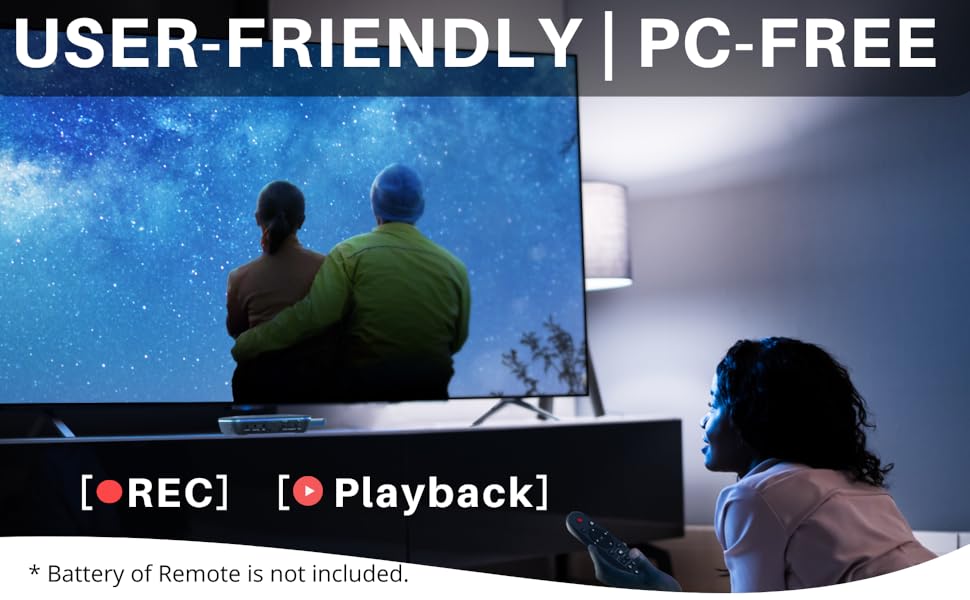
Record and Playback 4K Ultra-HD with One Press. No PC required.
ClonerAlliance UHD Pro is the next must-have next to your large UHD TV. When you want to record the stories touching you, with just one press, ClonerAlliance UHD Pro can keep the 4K videos forever. With the one-press Playback, you can relive the memories anytime.
Best practice for Cinematic-FPS:
1. For recording Cinematic-FPS:
Set the TV to cinema or filmmaker mode.Set the display mode of the 4K video player to “auto adjustment” or “4K@24hz/23.97hz”. The display option can be found in all 4K video players.
2. For watching Cinematic-FPS on the smart TVs:
Set the TV to cinema or filmmaker mode.It is recommended to use the built-in media file function of the smart TV to play recorded 4K@24fps MP4 files for the best picture quality.
Note:
This device does not support HDR input. Please disable HDR from your video source to ensure correct brightness and contrast.
Learn more about ClonerAlliance UHD Pro

Do more with your PC
Everyone can easily get started with PC MODE.
Based on the features of UVC standard and driver-free, ClonerAlliance UHD Pro can capture videos or live games/videos on YouTube/Twitch/Facebook via desktops/laptops running Windows, Mac or Linux.
Please use OBS Studio or ClonerAlliance Helper on Windows systems.
For Mac and Linux systems, please use OBS Studio.

Schedule recording
Schedule recording at your convenience.
You must want to enjoy the latest sporting events and stay up to date with your favorite videos.
Set up your video source, select the target channel, schedule recording task. ClonerAlliance UHD Pro will do the rest for you.

One press to snapshot
Press one button to take a screenshot as a JPG file.
Amazing or hilarious moments while watching videos won’t wait your camera to capture.
Just one press can make it. Stores them into a folder so as to browse them anytime. Or save this image as wallpaper on your mobile phone or PC.

Widely compatibility
ClonerAlliance UHD Pro is compatible with video sources with a standard HDMI (Type-A) output port.
Please check the compatible video sources in the technical specification table below.
For the Mini-HDMI(TYPE-C) or Micro-HDMI(TYPE-D) port, a To TYPE-A adapter is required (Not included).
More reasons to have ClonerAlliance UHD Pro

Supports various 4K video players.
ClonerAlliance UHD Pro is compatible with video players whose display mode can be set at 4K@30fps or below, Cinematic-FPS 4K@24fps is recommended. Don’t worry, both are available on most players.
Tip: For a better experience of 4K UHD, you may need to set the TV’s display mode to Cinema Mode or Filmmaker Mode.

Simple setup with 3 steps
Connect the output of the video source with the input of ClonerAlliance UHD Pro.Connect the output of ClonerAlliance UHD Pro with the TV.Connect a USB drive to the Storage port of ClonerAlliance UHD Pro.
All set and enjoy!

Supports exFAT, NTFS, FAT/FAT32, MBR,GPT
Not only is it compatible with GPT and MBR partition structures, it can also write MP4 files to exFAT, NTFS, FAT/FAT32 file systems. Whether you are using a projector, 4K UHD TV or a PC system (Windows, Mac OS, Android, Linux), the recorded 4K MP4 video files can be played and safely saved forever.

Long-term Service
We provide 90-Day No Hassle Return (at our cost) and 2-Year Service.
A longer service period gives you more peace of mind while using our products.
Technical Specifications
Capture/Recording Resolution Max Resolution: 3840 x 2160@30fps; Max FPS: 1080p@60fps Cinematic-FPS Recording Supported at 3840 x 2160@24fps Passthrough Latency Less than 90ms Encode Formats H.264, H.265 Maximum Storage Capacity 8TB To PC mode UVC. Windows, Mac OS Linux are Supported. HDMI Input Resolution Max up to 3840 x 2160@60fps HDMI Output Resolution Max Resolution: 3840 x 2160@30fps; Max FPS: 1080p@60fps Max Encoding Bitrate 22Mbps(H.264, UHD). Recording Aspect Ratio 16:9 Compatible File System FAT/FAT32, NTFS, exFAT. MBR, GPT Compatible Video Sources DVRs, Set top Boxes, Cable TV Receivers, DSLRs, Camcorders, DVD Players, Media players, TV Sticks, Endoscopes, Surgery Microscopes, Game Consoles, Laptops with HDMI OUT Not supported sources Smart TVs and TV Antennas are NOT supported as input video sources. Dolby Digital / Dolby Atmos audio formats are not supported, Please set your device’s audio output to PCM or Stereo for compatibility.
What can it do? – Standalone 4K Ultra-HD digital video recorder with HDMI capture. Record UHD video to a USB storage device with Cinematic-FPS 4K@24fps(Up to 4K@30fps). H.264/H.265 codec. Playback the recorded 4K UHD video on a TV with the included remote, No PC required at all. Gaming capture and live are also available if you prefer using a PC.
Why do I need it? – Capture and record 4K Ultra-HD videos. Record online conferencing video. Record online UHD video for recreating. Capture screen contents of PC. Gaming capture and live. [4K@60fps input can be recorded as 1080p@60fps. It is recommended to adjust 4K@60fps to 30fps or below, the recorded UHD video will be exactly the same as the input.]
Why choose it over other similar products? – Friendly to use by newbies or older adults. Both H.264 and H.265 codecs are supported. Recorded MP4 files can be saved on various file systems(exFAT, NTFS, FAT/FAT32, MBR, GPT). Ultra-low latency (less than 90ms). Various schedule tasks. Cinematic-FPS recording.
Is my device compatible with it? – It works with: DVRs, Set-top Boxes, Cable TV Receivers, DSLRs, Camcorders, DVD Players, Media players, TV Sticks, Endoscopes, Surgery Microscopes, Game Consoles, Laptops with HDMI OUT. [Tip: The Smart TV/TV Antenna can’t be video Sources.]
What’s more? – 90-Day No Hassle Return (at our cost) and 2-Year replacement Service. Free video edit/conversion software included(Windows system only. Mac is not supported). [The device does not support any content protected by HDCP. When connected to an HDCP (Content Protection) source, it will output an error message or nothing. This does not indicate a defect.]
8 reviews for UHD Pro, 4K Video Recorder, HDMI Capture DVR with H.265/H.264 Codec, Cinematic 4K@24fps Recording(Up to 4K@30fps), No PC Required.
Add a review

$289.50
tmpc –
This is a fantastic device that has one possible flaw
I originally purchased the ClonerAlliance ViewPro. Great device except that I found the H.264 compression had a hard time with certain types of image content. I returned that and purchased the UHD Pro hoping that the H.265 compression would be an improvement. I was not disappointed; it looks fantastic! A huge improvement over H.264.However, I noticed that I would get an artifact that occurred maybe twice per hour where the image would turn almost white for a few frames and then would be fine for a while. I ran tests where I watched the video as it was recording and saw nothing, but saw the problem on playback both from the UHD Pro and my computer. So, the problem is in the file. I tried recording from both my Roku Express and my Panasonic DVD player, but both sources exhibited the problem.I then contacted the ClonerAlliance customer service (Julia was very nice) and tried a few things, but nothing worked. So, thinking I had a defective unit, I returned it to Amazon for a replacement. I received the replacement, but found that it did the same thing.So, I’m more than just a little bit confused. This product gets great reviews both here and on YouTube, with no mention of what I’ve encountered. I asked Julia if they have been able to reproduce the problem and they say they haven’t. I have a little more time left to return it for a refund, but there doesn’t seem to be an alternative product that does what this thing does. It’s a shame, as it is absolutely great otherwise.UPDATE: I returned the second one of these and purchased an AVerMedia EZRecorder 330G. It also records in H.265 and hasn’t had the glitching problem I saw in the UHD Pro. The interface on the EZRecorder isn’t as easy to get around on as the UHD Pro, but you can get used to it.
shawn smith –
Nice, but doesn’t last long
I like these recorders. It’s not hard to use and stays connected better then the 1080 version did. The recording seem good. I like that you can watch the recordings from the device. It would be nice to have features like pausing a recording, editing from the device if you wanted to cut things out, and if the playback had more precise rewind and fast forward, but that’s all just extra stuff and not a big deal, though. I like that you can take screenshots and they look pretty nice.The biggest issue I have, is that I’m about to buy my third device. I’m going to try the pro max. I’ve not been able to get more then 3 years out of the other two devices, this one and a 1080 one. I don’t know if it’s because it runs all the time because there is no easy way to shut it off when not in use or what it is. It and the USB gets so hot it can almost burn you. I would like to get at least 6 to 10 years from these devices. At 120 to 150 it would sting replacing them every couple of years but at 200+ to over 300, it’s absurd.I have a lot of unforseen expenses the last few months so this breaking down now, at this moment is devastating to me. I just bought it July of 2022 and it was dead out of the blue this morning. If it was about a 120 dollars I could swallow it a little better, especially if the next I get last a lot longer. It’s 308 dollars. If this one doesn’t last closer to a decade after having to replace it during my finacial pinch, then I’m not going to be able to buy another one of this brand at these prices. If 3 years is the max you can get out of these devices then the price needs to be 50 dollars are less for something that disposable. It either needs something to cool it, or a way to shut it off, or if it’s something else it needs to be resolved immediately. I’m still giving it 4 stars, if the next one breaks down after a couple of years then I’ll reduce the ratings. If it just had lasted more years then I would have given it 5 stars for what it is.
REL –
Great stream capture device
It took me several attempts to get the hang of this thing, but with the help of ClonerAlliance’s quick and stellar technical assistance, I finally was able to accomplish what I set out to do.I had several recorded shows on my old TiVo that would not transfer over to my new TiVo, and I didn’t want to lose them when I recycled the old unit. I bought this cloning device in the hopes I could stream the shows and transfer them to a solid state drive as MP4 files for future viewing. The shows transferred okay, but the sound kept cutting out. I changed a few settings (as advised by ClonerAlliance’s tech support) and re-recorded the shows. The sound was perfect, except for being out of sync with the video. After a couple of other changes and using the included editing software, I was able to burn the shows to a DVD for future viewing. At 1080P, H265 High Bitrate, a 45 minute show, when all segments were merged into on file, ended up being about 3.5Gb, which fit nicely on a regular 4.7Gb DVD.Picture quality is amazing, and the sound comes through perfectly. I have no idea what the results would be using this device to record on-line gaming or other high-intensity streams, and don’t intend to try. I simply wanted to save videos from my TiVo through the HDMI feed, and this device fit the bill perfectly.
Zil –
Je cherchais un appareil capable d’enregistrer à partir d’une source hdmi de manière facile, sans utiliser des logiciels compliqués. Qui crée un fichier directement utilisable.Cet appareil est le seul que j’ai pu trouver.Les avantages:- permet d’enregistrer à partir de n’importe quel appareil sans utiliser de pc.- une simple touche permet de démarrer et arrêter l’enregistrement.Malheureusement je lui trouve aussi quelques défauts:- Le prix est cher- Pas de bouton on/off sur la télécommande! Le bouton est caché à l’arrière du boîtier.- pas de mémoire interne, il faut une mémoire usb.- le menu et les logiciels sont en anglais ou en chinois! Les dates sont écrites à l’envers Pas de français, pas d’allemand, pas de néerlandais ni autre langue… Complique la compréhension des réglages.- enregistre parfois en plusieurs fichiers qu’il faut ensuite réassembler avec un logiciel qui n’est pas en français donc prise en main plus compliquée.Pour enregistrer en un seul fichier il faut formater la clé usb ou le disque en ntfs ET aller dans le menu “record Settings” => “file size” sélectionner “16gb/3h”
ajv –
Works perfectly – records everything I have tried to threw at it so far.Minor issues, more like improvement suggestions for the future 🙂 -1) there are very few options how you can control file sizes produced. The only two options you have are enabling H265 and setting bitrate to low. But you can not downsample input signal or change any other quality/compression options. As a result, expect LARGE files if you record at FullHD 50fps or better…2) add power button to remote – but this would only make sense if there would be a passthrough HDMI when switched off. Currently, if you power it off (there is a button on the back of device itself), HDMI signal is cut and you have to replug HDMI cables to watch TV without CA device powered.
Xbox Series X user/gamer –
I have a video clip that I want to permanently record to soft copy. It has a great soundtrack and fast moving graphics at 120 FPS and I believed this new generation HDMI direct capture would be a simple solution.My findings—————-1) Yes, the ClonerAlliance UHD Pro successfully captured the video with great audio quality however the video capture is a little over exposed looking and in fast moving video sections it appears to not have maintained the highest frame rate with colours being muddied.Note : I used a brand new good quality 64 GB USB3 thumb drive for the first capture attempt. I then put a brand new 128 GB SSD into a portable USB3 case and recaptured the same video but the results were exactly the same.2) Using the pass through HDMI signal on the ClonerAlliance UHD Pro device there is noticeable degradation of the graphics signal displayed onto my UHD TV.3) Also the power to the ClonerAlliance must be left on for the HDMI signal to continue to pass through to the TV or monitor.Rather than leave it turned on I preferred to remove it from my system.4) I tested the resulting clip in several devices including on my PC which did play using VLC then on my LG Blu-ray with USB and DivX support but it won’t play. Then I tried the USB input on my Sony car video system but it didn’t play on that system. I also attempted to play the recorded MP4 in the USB input on my Panasonic 4K UltraHD Blu-ray ( model DP-UB820GNK ) and the video was not playable.My final opinion :The ClonerAlliance UHD Pro will easily capture a 4 minute long video as an MP4 clip with excellent digital quality sound however the video is not 100% perfect and the resulting file is not playable in several of the range of video input devices.So… it is overpriced and under delivered.
sw –
The customer service is outstanding. Before I received the recorder unit, I received a detailed instruction in pdf format via E-mail. Once I read the instruction, I have no problem in working with the recorder unit.The strength of the unit is its user friendliness. It is very easy to work with. It offers great flexibility, I can successfully record high-quality (4K) videos using 4K Fire TV cube, DVD and Blu-ray players and also another android-based TV box without any difficulty. The recorder videos are of high quality.I tested the use of 128-gb and 2-TB external hard drives. Both work smoothly.The only drawback is the lack of a power on-off button on the remote control. Although there is an on-off switch on the recorder unit itself, it would be much more convenient to have one on the remote control.
Maldee –
Some initial problems were overcome with the help of Julia and customer service. Efficiently records from sources plugged into the hdmi input socket. Records on to a memory stick and the mp4 files play back on tv, pc etc., Today I await an overdue order for an expensive phone from an Amazon linked company who never reply to messages. In contrast Cloner Alliance show how customer service should be done. Highly recommended.