

j5create ScreenCast HDMI Wireless Display Adapter Receiver – Mirror Phone, Tablet, Laptop to HDTV – Compatible with MiraCast, AirPlay, Android, Windows 10 PC, iOS, iPhone, Tablet (JVAW56)
$44.99
Related Products




From the brand


We develop. We innovate. We create. j5create is a team that has come together from a diverse set of backgrounds to make technologies more meaningful and inclusive. We design, build, sell and support innovative technology, and we find creative ways to apply new technologies to provide computing solutions.

Made in Taiwan
All our products are manufactured in Taiwan, which has been a global force in the electronics industry since the 1990s.
j5create USB-HDMI Adapters
j5create Docking Stations
j5create USB-C Hubs
j5create Webcams
j5create Screencast Adapters
j5create Video Capture Cards
j5create Laptop Stands
j5create Monitor Mounts
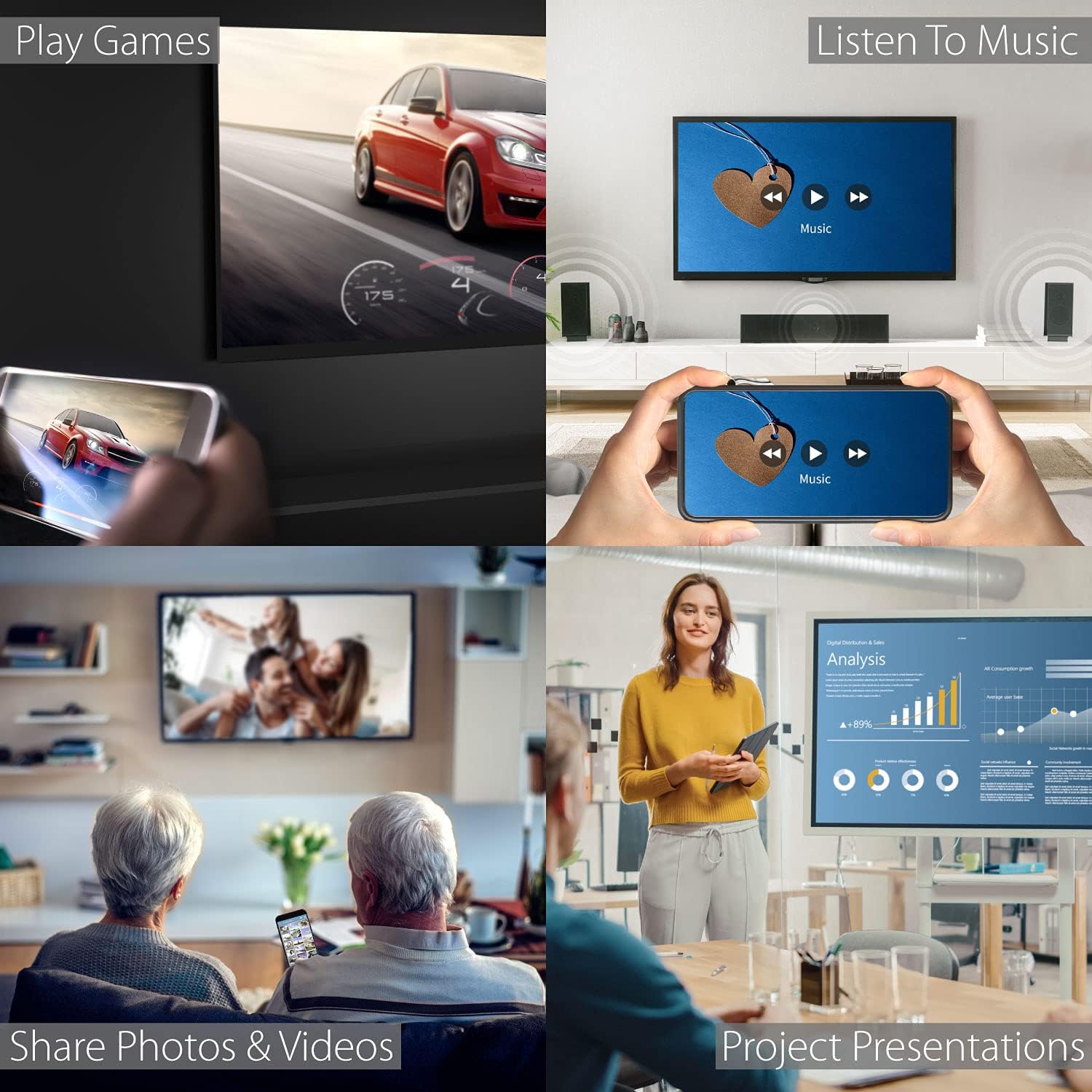
Effortless Wireless Streaming – Wirelessly projecting your favorite content from your phone, tablet, or laptop to the big screen. The ScreenCast Wireless Display Adapter supports Miracast and AirPlay, ensuring seamless compatibility with devices like Windows laptops, MacBooks, iPhones, iPads, and Android devices (Note: Not compatible with Chromebook). Experience freedom from cables and enjoy the convenience of instant screen sharing.
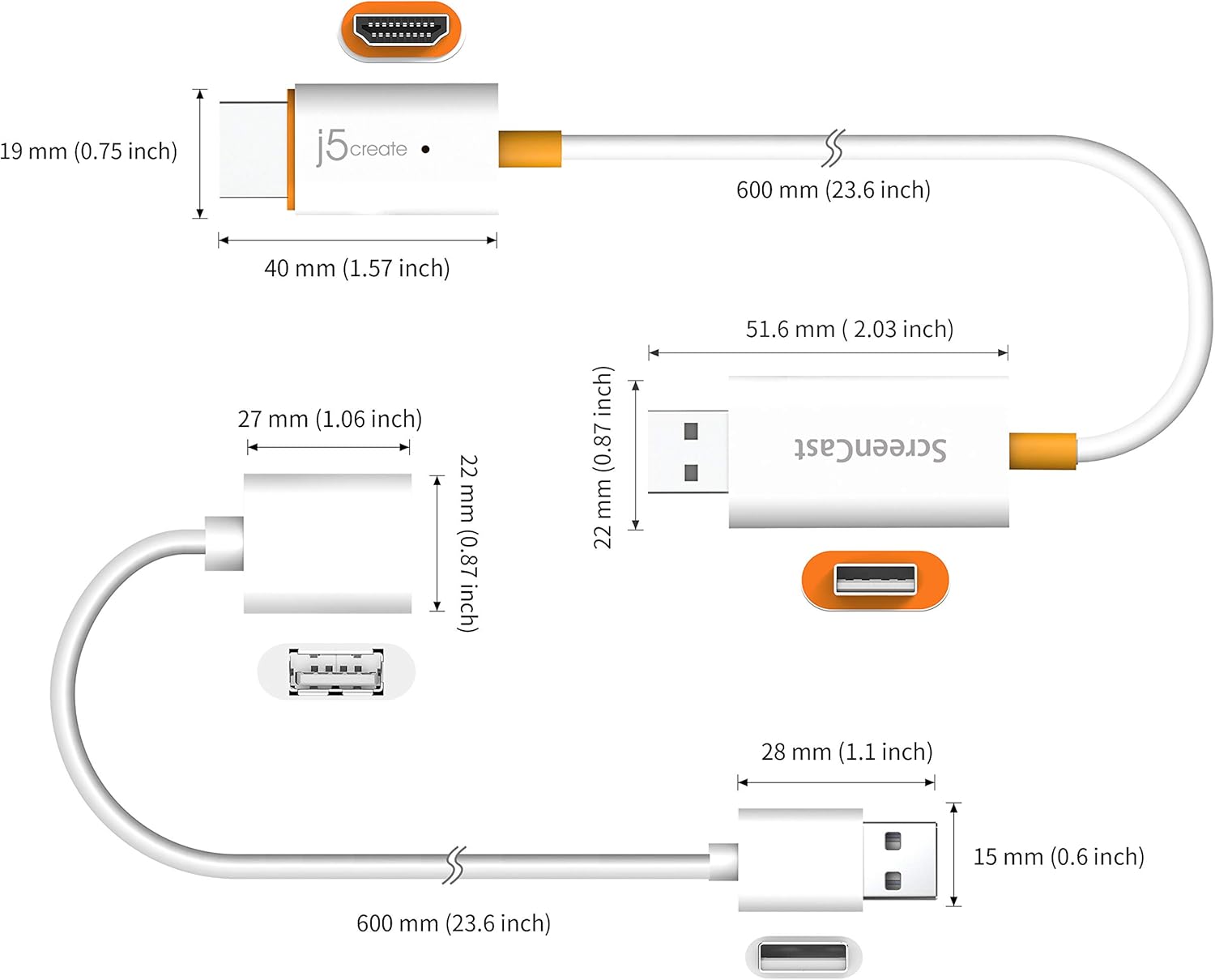
Compact Design, Maximum Portability – Take your presentations or entertainment anywhere with this lightweight and portable wireless HDMI display adapter. Whether you’re in the office, at home, or on the go. Perfect for conference rooms, multimedia learning, or creating a cinematic experience at home.
Unmatched Stability and Low Latency – Stream with confidence thanks to the dual-band 2.4/5GHz antennas, delivering stable connections and smooth video playback. With a transmission range of up to 50 feet and ultra-low latency, the ScreenCast adapter ensures a flawless streaming experience, whether you’re watching or sharing a presentation.
High-Definition Excellence – Enjoy crystal-clear visuals with support for full 1080p HD resolution. Whether it’s videos, slideshows, or work presentations, the ScreenCast adapter brings your content to life with vivid clarity.
Versatile Device Compatibility – The ScreenCast adapter supports a wide array of devices and platforms, including Windows, macOS, iOS, and Android, making it your go-to solution for casting to any TV or screen with HDMI port. Designed for a simple setup – plug in, connect, and start sharing. A step-by-step guide is included to assist with installation.
13 reviews for j5create ScreenCast HDMI Wireless Display Adapter Receiver – Mirror Phone, Tablet, Laptop to HDTV – Compatible with MiraCast, AirPlay, Android, Windows 10 PC, iOS, iPhone, Tablet (JVAW56)
Add a review

$44.99
Katie B. –
GREAT QUALITY
Works great, easy to use and the quality is perfect.
ax06 –
More than expected for the price
Great value and quality for the price. Easy to set up with clear instructions and works perfectly with Samsung DeX. Response time is good, YouTube videos are clear, and resolution is great for the price point. Highly recommend for a budget friendly alternative to the more expensive options out there.
Bruce A. Agee –
Fussy Setup – Works With Windows 11
I used this so that I could cast to an older ‘dumb’ TV. The install was pretty logical – but buggy. After the install, update and reboot it took many tries to get the device to connect with my windows laptop. The problem might have been mostly mine. In my defense, I usually have few problems with this type of install. Regardless, I did succeed in the end. The mirracast works well. It also worked with my Android. I had older devices that stopped working when I got Windows 11. So this is device is recommended.
Rich –
Great for screencasting!
Perfect for screen casting from my Android phone. Easy install. USB to HDMI ports. Have 3 installed.
Melodies To Memories –
Minor connect issues / major quality issue
Very cheap housing, I was hopeful but this did not make it 2 months. Company wants us to pay for cost to return/swap, will just take the loss and order MDA. Under heavy load it did have connection issues but it was minimal in comparison to the use. Possibly good as an at home product but not quality for any additional use.
.FANWV –
Extend windows 11 screen to 2nd monitor
I bought a laptop (2025) and it did not have a second video port or a thunderbolt usc-c port so I could only extend my screen to one monitor. I love using two monitors and this enabled me to have 2nd monitor screen available by plugging into my 2nd monitor and using windows 11 to connect to wireless display. I do not use for gaming and for my purposes it works as well as plugged in monitor. Very happy. Easy to connect laptop to wireless display as well.
Christopher Tracey –
Needs WiFi
I’m planning on cancelling my home internet, so I could instead use my phone. It’s way cheaper for me. So after trying out various casting devices that didn’t work for me, I thought this one would be perfect because they claim you don’t need WiFi, and some of the reviews mention that as well. I mean, you need WiFi to set up the dongle, but that’s understandable I suppose. Maybe it needs an initial update or something. After I got it working, it worked quite well, although the picture was less than stellar. Setup was fairly straightforward. So if you aren’t relying solely on your phone for Internet, and you only need a decent cheap casting device, then this will do the trick.But anyway I decided to really test it out once I had everything hooked up properly. So I turned OFF my router (to see how it would work once I cancel my home internet) and lol and behold, the dongle stopped working. It would still register as being connected to my phone, and my phone could still find the device in my screen casting app, but I could not connect at all. I’m not sure if I’m doing something wrong, or I’m missing some information. But it seems to me that this dongle will not work unless it is connected to your WiFi. I’m open to ideas on what I might be doing wrong, but I’m going to return this and try to find some way to mirror my phone screen that actually doesn’t use WiFi.
GTJax –
Ease of use from unboxing to casting.
Easy to set up and use. Pretty much plug and play. No problems so far
Pirlouit –
Je viens de l’installer et quand je choisis screencast dans les options de recopie de l’écran mon téléphone est déconnecté de mon wifi. C’est décevant moi je souhaite juste recopier mon écran comme sur ma smart TV mais sur une autre TV qui ne l’est pas. Décevant… Peur-être publicité trompeuse! Je dois encore faire des tests mais je ne me fais pas d’illusion!
Nathon Hall –
Experienced IT pro, here. I have almost nothing positive to say about this device. It will connect your Windows laptop – at low resolutions and low frame rates – to your monitor.However …- Landing screen is horribly complicated and contains WRONG instructions- Won’t work on modern versions of IOS- Wont work with modern versions of OSX (and wrong instructions)- Will not allow you to lock-out the settings, so totally inappropriate for professional, institutional use.Do not purchase. I say again, DO NOT PURCHASE this steaming pile of cyberpoo.
Khalid Baig –
Good 👍 quality
PAOLO –
Ottima soluzione in sostituzione del prodotto Microsoft.E’ il quinto che ordino per le nostre sale riunioni e al momento fa il suo lavoro.Vedremo con il tempo.
Robert R –
Unlike most casting dongles, this one just works out of the box