

j5create ScreenCast 4K Max Wireless Display Adapter with Enhanced Antenna, Streaming Video & Audio from Mobile/Tablet/Laptop, Supports AirPlay/Miracast/Chromecast on Windows/MacOS/Android (JVAW76MAX)
$99.99
Related Products




Product description


1 Stay Connected Wherever
2 Multi-Devices Compatible
3 Mirror or Extend
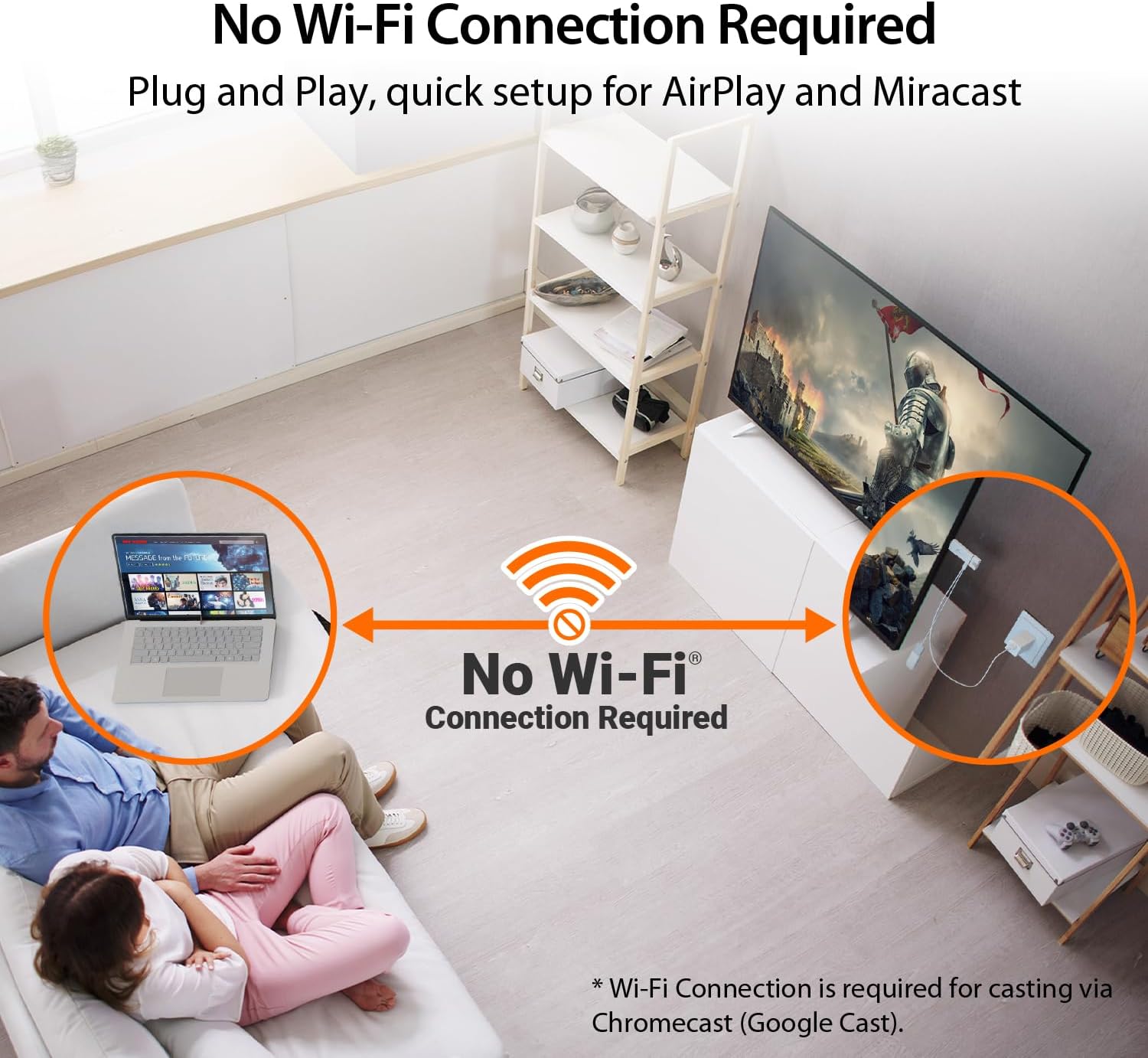
4 No Wi-Fi Needed
Efficient Wireless Casting Solution-Suitable for office, school, and home.


【 The Smarter, Simpler Way to Share Your Screen 】 Easily mirror or extend your screen from your phone, tablet, or laptop to any TV, projector, or monitor with the ScreenCast 4K Max Wireless Display Adapter. With its universal compatibility, superior signal strength, direct connection mode, and professional security features, the ScreenCast 4K Max is the versatile and reliable choice on the market. It’s the one device that does it all, for both work and play.
【 Universal Compatibility with Major Standards 】 Whether you’re using AirPlay, Miracast, or Chromecast, this adapter supports it all. Compatible with Windows, macOS, iOS, Android, and other cast-enabled devices, it’s ready to work with the gear you already own.
【 Stronger Signal, Smoother Streaming 】 Equipped with an external high-gain antenna and dual-band (2.4/5GHz) support, the ScreenCast 4K Max ensures stable, high-quality streaming – up to 50 feet (15 meters) away.
【 No Wi-Fi? No Problem. Point-to-Point Mode Ready 】 Cast directly from your Windows, Mac, iPad, or iPhone without needing to connect to a Wi-Fi network. Ideal for secure environments, classrooms, and quick on-the-fly presentations.
【 Business-Ready Security and Customization 】 Enhance your professional setup with features like customizable splash screens, Miracast PIN code protection, and admin gateway password controls—ideal for corporate or education use.
6 reviews for j5create ScreenCast 4K Max Wireless Display Adapter with Enhanced Antenna, Streaming Video & Audio from Mobile/Tablet/Laptop, Supports AirPlay/Miracast/Chromecast on Windows/MacOS/Android (JVAW76MAX)
Add a review

$99.99
McCoy –
Works great for casting Dex without needing WiFi
I’ve gone through a bunch of streaming sticks and little casting adapters over the years and this is the only one I’ve used that doesn’t need to be on the same WiFi as my phone. It actually doesn’t connect to WiFi at all, which is exactly what I wanted. I can run Dex off my regular cell data and cast straight to the TV without messing with a hotspot or dealing with hotel or campground WiFi. For my camper this is perfect since I don’t have unlimited hotspot data but I do have plenty of cell data. Dex runs smooth on it and I can still use my phone normally while it’s casting, which is a huge part of why this setup works so well for me.The picture quality is sharp and clean and there’s very little delay. Everything feels responsive enough that I forget it’s even casting half the time. It’s been great at home and it’s something I’m planning to toss in my bag when I’m traveling since hotel WiFi always seems like a pain. Being able to cast without worrying about any network connection makes this thing way more useful than the usual sticks.
The Traveling Engineer –
Easy to use, reliable, low latency. A little unwieldy and bulky.
Works well. Pretty easy to use. Simply plug it into the HDMI port on a TV (or monitor), plug in power, and plug in the wireless module. Instructions come up automatically on the TV when you select the appropriate input port.I tested Android and MacOS. Both worked flawlessly and with low latency. I have a Sony TV that doesn’t support Miracast and/or MacOS display sharing. This device will allow me to use that TV with my phone and Mac.What I DON’T like is that the wireless module is separate and hangs from the main unit. The net total is kinda unwieldy and a bit ugly. However, the separate wireless module allows better reception and can be positioned somewhat apart from the main unit, so it has utility, but the whole unit is a bit big. Lastly, it should be USB C, but it is Micro USB instead. Not a huge issue, as it comes with a cable, but newer devices should use USB C.Not enough negatives to knock a star, as I definitely will be using this.
Nebti21 –
Not for use on the go. Only really viable in a permanent setup.
I’m not a fan of this wireless display adapter–and that’s without even trying it to see how it works. Let me explain my issues, beginning with the instructions….I tried to figure out how this adapter is set up. I never really did when I was working with it–and that’s the fault of the set’s inadequate instructions which have a simple installation diagram that leaves out lots of important information. Now in the video I’ve included, it will be clear to some that I made a mistake in how I tried to set this up. I thought one dongle was the transmit dongle from a laptop or phone and the other was the receiver dongle for use with the TV or projector being transmitted to. I was wrong. Both dongles attach to the TV or projector (and to each other via a weird cable).It turns out the receiver dongle requires a power supply. Some TVs have a USB-A port in the back that supplies sufficient power to run the dongle, so there’s a mico-USB power cord included that has a USB-A male end and a USB-A female end. I got that the the male end of the power cord was for attaching to the back of the TV, but I didn’t understand what the female end of the cord was for. In some instances, the power from the back of the TV is insufficient to run the dongle and if that’s the case, you need an external power adapter (unsupplied), and I assumed the female end to the dongle was for situations where you might have to run a longer cord to your power supply. I was wrong. The female end is intended for you to place the other dongle into. I have no idea why you need to run a dongle off a dongle to make this system work, but you do. It’s kind of an insanely unintuitive and messy setup.In the end, I decided that the simple USB-C to HDMI cord that I have and currently use for presentations is an easier solution than this collection of dongles and cords, and I never even tried to see how far it reaches and how easy it is to work with once the hardware setup is complete. I suspect there are some people who will use this as a permanent setup for attaching to a TV and broadcasting to from various sources, but I thought this would be a good solution for using on the go, as a portable, easy-to-use connection alternative when doing presentations at a variety of locations and it’s not that at all.
Amazon Customer –
Plug-And-Play Device That Connects Easily, Works Instantly, And Shares Content With Effortless Style
This device is wonderfully simple to use. The plug-and-play design makes setup quick and hassle-free.Connections are smooth and reliable, letting you broadcast without interruptions or complicated steps. It’s truly user-friendly.The white color gives it a clean, modern look that blends well with any setup.Performance is consistent, delivering strong results every time you use it. It’s dependable and efficient.Overall, I highly recommend this broadcast device. Easy, stylish, and effective it’s the perfect tool for seamless sharing. Good quality speed and sound quality and stable operation.
maggies mom –
High Quality, reliable connection
This j5create ScreenCast 4K Max made streaming from my devices ridiculously easy. It connects quickly, the signal stays steady thanks to the upgraded antenna, and everything—video and audio—comes through clean. AirPlay, Miracast, Chromecast… it all just works. The functionality feels top-tier without the top-tier price, making it a great value for anyone who wants simple, reliable wireless casting.
Client d’Amazon –
mise en oeuvre très simple et fonctionne très bien