

TP-Link RE515X AX1500 WiFi 6 Range Extender w/Ethernet Port | 1.5G Dual-Band Wireless Repeater Amplifier | Up to 1800 Sq. Ft., 64 Devices | Internet Signal Booster | APP Setup | EasyMesh Compatible
$6.99
Related Products


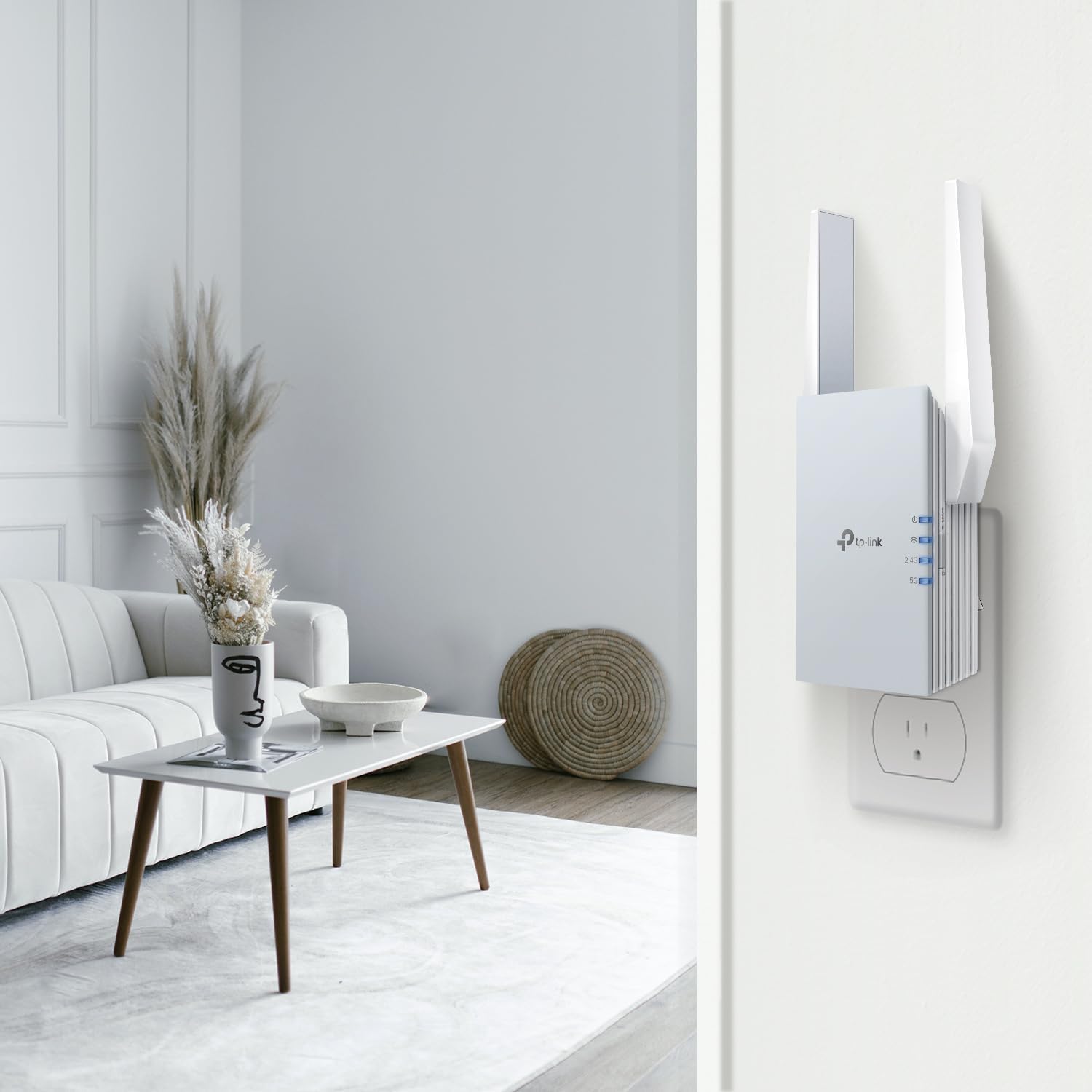

Turbocharge your home Wi-Fi Experience
Upgrade your network now and enjoy lightning-fast Wi-Fi speeds with the TP-Link RE515X, a cutting-edge Wi-Fi 6 device designed to enhance your home network experience. With support for Wi-Fi 6 features like MU-MIMO, OFDMA, and more, it delivers blistering wireless speeds of up to 1.5 Gbps, ensuring seamless connectivity throughout your entire home. Amplify your signal and eliminate dead zones with this range extender. Plus, it’s EasyMesh-compatible for seamless whole-home coverage. Connect your smart TVs, computers, and game consoles at lightning speed using the ultimate 1 Gbps Ethernet Port.
𝐃𝐮𝐚𝐥-𝐁𝐚𝐧𝐝 𝐖𝐢𝐅𝐢 𝟔 𝐄𝐱𝐭𝐞𝐧𝐝𝐞𝐫 𝐁𝐨𝐨𝐬𝐭𝐞𝐫 𝐰𝐢𝐭𝐡 𝟏. 𝟓 𝐆𝐛𝐩𝐬 𝐓𝐨𝐭𝐚𝐥 𝐁𝐚𝐧𝐝𝐰𝐢𝐝𝐭𝐡 – Extend your home network with full speeds of 1201 Mbps (5 GHz) and 300 Mbps (2.4 GHz). Enjoy smoother and more reliable streaming, gaming, downloading with high-performance WiFi 6 range extender RE515X. ◇△
𝐌𝐚𝐱𝐢𝐦𝐢𝐳𝐞𝐝 𝐂𝐨𝐯𝐞𝐫𝐚𝐠𝐞 𝐮𝐩 𝐭𝐨 𝟏𝟖𝟎𝟎 𝐒𝐪. 𝐅𝐭 – Two high-gain directional antennas with Beamforming technology enhance signal strength, reliability, and range, providing whole-home Wi-Fi coverage and eliminating dead zones for up to 64 devices.
𝐎𝐮𝐫 𝐂𝐲𝐛𝐞𝐫𝐬𝐞𝐜𝐮𝐫𝐢𝐭𝐲 𝐂𝐨𝐦𝐦𝐢𝐭𝐦𝐞𝐧𝐭 – TP-Link is a signatory of the U.S. Cybersecurity and Infrastructure Security Agency’s (CISA) Secure-by-Design pledge. This device is designed, built, and maintained, with advanced security as a core requirement.
𝐄𝐚𝐬𝐲𝐌𝐞𝐬𝐡-𝐂𝐨𝐦𝐩𝐚𝐭𝐢𝐛𝐥𝐞 – Easily expand your network for seamless, whole-home mesh connectivity by connecting the RE515X to any EasyMesh-compatible router. *
𝐍𝐨𝐭 𝐓𝐨 𝐢𝐧𝐜𝐫𝐞𝐚𝐬𝐞 𝐒𝐩𝐞𝐞𝐝 – Please note that all Wireless Extenders are designed to increase or improve WiFi coverage and not to directly increase speed. In some cases improving signal reliability can affect overall throughput.
𝐖𝐢𝐅𝐢 𝐄𝐱𝐭𝐞𝐧𝐝𝐞𝐫 𝐰𝐢𝐭𝐡 𝐆𝐢𝐠𝐚𝐛𝐢𝐭 𝐄𝐭𝐡𝐞𝐫𝐧𝐞𝐭 𝐏𝐨𝐫𝐭 – Experience wired speed and reliability anywhere in your home by connecting your favorite device to the gigabit ethernet port.
𝐒𝐦𝐚𝐫𝐭 𝐀𝐝𝐚𝐩𝐭𝐢𝐯𝐞 𝐑𝐨𝐚𝐦𝐢𝐧𝐠 – Seamlessly move throughout your home with automatic connections to the strongest signal, ensuring uninterrupted coverage and optimal performance.§
𝐀𝐜𝐜𝐞𝐬𝐬 𝐏𝐨𝐢𝐧𝐭 (𝐀𝐏) 𝐌𝐨𝐝𝐞 – Easily turn any wired connection into a powerful Wi-Fi hotspot using the Gigabit ethernet port and AP mode.
𝐄𝐚𝐬𝐲 𝐒𝐞𝐭 𝐔𝐩 𝐢𝐧 𝐌𝐢𝐧𝐮𝐭𝐞𝐬 – Easily set up and manage your WiFi in a few quick and easy steps using the TP-Link Tether app (Android, iOS). Find the optimal location for the best WiFi connection with intelligent signal indicator.
𝐔𝐧𝐢𝐯𝐞𝐫𝐬𝐚𝐥 𝐂𝐨𝐦𝐩𝐚𝐭𝐢𝐛𝐢𝐥𝐢𝐭𝐲 – The AX1500 range extender is compatible with almost all WiFi-enabled devices and routers or access points. It even supports new AX phones, laptops and other devices. **
10 reviews for TP-Link RE515X AX1500 WiFi 6 Range Extender w/Ethernet Port | 1.5G Dual-Band Wireless Repeater Amplifier | Up to 1800 Sq. Ft., 64 Devices | Internet Signal Booster | APP Setup | EasyMesh Compatible
Add a review

$6.99
PhillyBill –
THIS THING WORKS GREAT!!
This unit solved my problem of poor WIFI signal on the 2nd floor of my home with my router down on the first floor in my office. It was easy to set up (good instructions), works greqt, and full coverage with strong signal. Highly recommend!
350ZMO –
Wonderful WiFi client and repeater
TP-Link AX1500 WiFi Extender Internet Booster (RE500X), Ships from: Amazon.com, Sold by: Amazon.com, $54.79 July 2024.TLDR: Wonderful WiFi client and repeater at the same time. Connect any Ethernet device to your WiFi network.I use one of these to connect several Ethernet devices to the WiFi network through a switch. Just connect the Ethernet port on the RE500X with a standard Ethernet cable to any port on a switch and every other device on that switch has internet access. Switch is a TL-SG108E. Router is an Archer AX-80. It worked so well, I bought another. The second one is solely an internet repeater, nothing is connected to its Ethernet port. The first is 50ft from the router through a standard home wall and has 8 clients, Ethernet and both 2.4G and 5G wifi clients within 20ft. The second is 75ft from the router through a brick wall (with windows) and a standard wall with windows and has one 5G WiFi client at 40ft. The first has 1ms or less ping and zero packet loss over 100 pings. The second has 3ms average ping and has zero packet loss over 100 pings. I have them both set to replicate the exact same SSID of the router so no need to change SSID names with _EXT or whatever. Both are stable and working very well. Both have a security camera WiFi client that streams 24/7 to Blue Iris.Quite frankly, these are the best client/repeaters I have ever owned. Highly Recommended.I have a pet peeve with the lack of heat dissipation engineering on modern electronics, especially WiFi gear. Heat has been, is and shall always be the #1 enemy to electronics. Heat derates all amplifiers. I adapt quiet PC case fans for forced air ventilation on electronics one way or another. On the AX80 I sit it on top of a 12V 140mm PC case fan with padded wood feet. On these AX1500s, I drilled holes in the plastic cases with a 3” hole saw and mounted 80mm 5V USB fans with two 3/4” truss head wood screws. Plug the AX1500 into a 3 Way Plug Adapter along with a USB wall charger and plug the fan into the wall charger. Albeit ugly, they run quiet, cool, and extremely well.https://www.amazon.com/dp/B0CCF9M7QL?ref=ppx_yo2ov_dt_b_product_details&th=1https://www.amazon.com/dp/B0B3T8FXFJ?ref=ppx_yo2ov_dt_b_product_details&th=1https://www.amazon.com/gp/product/B093WPKKZK/ref=ppx_yo_dt_b_search_asin_title?ie=UTF8&th=1https://www.amazon.com/gp/product/B084X4QVLX/ref=ppx_yo_dt_b_search_asin_title?ie=UTF8&psc=1Although the pictures on that Amazon page for the 5V fans don’t show it, they came with USB A males on them instead of the Mini 2-Pin PH 2.54mm Molex plug shown. The 3” hole saw was centered side to side and 2” down from the top. Took the case off first of course. And of course this voids any warranty or thought of return so I waited 48 hrs of burn-in before making this modification. 48hrs burn-in eliminates 90% of infant mortality. In electronics, if it survives burn-in, that puts the item right in the reliability bathtub curve. Add proper cooling and that enhances reliability.Hope this helps…
Amazon Customer –
This is an Extender that extends and existing wifi signal
Okay, So after a few hours of playing with this I have learned a few things.First, my circumstance:1. I am needing wifi signal in a building that is about 150 from the house, where I have excellent wifi2. The remote building is metal and has absolutely zero wifi3. I had the foresight and blessing to have ran an ethernet lint to the building that is connected to myrouter.What I ordered was a Tp-Link Wi-Fi 6 Range Extender. THIS DOES NOT WORK IN MY SITUATION. On a side note, I did hook up the extender easily and it seems to work well as an extender. However, the building I have does not have ANY Wi-Fi signal, therefore this does not work for my circumstance.After researching I know the easy way to accomplish my goal is through the use of an Access Point (WAP – wireless access point, however it’s wifi signal comes from an ethernet cable that is hooked to my router). In addition, the device I purchase will need to have a POE (Power over Ethernet) and be an Access Point/WAP.After researching I have purchased TP-Link AC1350 which looks like it will be great for my home use. However, if I needed more power I would have purchased a TP-Link AC 1750 access point.Hope this helps someone!
Jane sepulveda –
It work great.
This internet amplifier is very good, it has a lot of range, in my house we connect, 9 cell phones, 5 tablets, 3 televisions, 3 PlayStation, 1 Xbox, 2 laptops, 2 home computers and everything works well and fast. It has a very easy-to-use app.
Guadalupe Withmory –
It works perfectly
This product works excellent, the internet expansion is incredible and I no longer have internet drops in my house. The signal is amazing, easy to install using the app. It’s a little big the size of the whole outlet a little more but very nice design. I recommend it
just a customer –
Does not work at all. I still get dialup speeds in some areas of my house.
This product flat out DOES NOT WORK.I set it up according to the instruction included in the package. I reset it three times just in case I did something wrong. I also followed the instructions on the YouTube video which are clear but the device did not improve the speed of my network.I have google fiber and my speed next to the main router is upwards of 800 Mbps. The extender provided by google fiber works perfectly, I get about 400-600 Mbps even though the extender is in a different floor, and all the way on the other side of the house. This proves that I’m not trying to put the extender too far since this extender would have been about 30 feel away from the main router.I spent several hours fighting with the thing until I decided to call Google Fiber and order another extender just like the one they provided initially since I know those work seamlessly.The other issue I found is that by default this device will create a separate wifi network. So if you have a 2.4 and 5 Ghz network already, the device will create two additional networks so now you have 4 wifi networks competing with each other.After a few hours of edging I figure out how to merge all of them into a single one but that did not fix my range issue. All in all it was a waste of time trying to make these things work. Not worth it.
Derick Lee –
Expert Tech Support
This extender worked very well and it increased my wifi speed from 10 Mbps to 90 + in my living room. However, if not for the patient and expert guidance of Phillip in tech support from TP-Link I almost returned it to Amazon because I could not figure it out. Thank you Phillip.
Tex –
Returning due to poor performance
I had trouble with this thing. It’s very easy to set up. It has great features. The problem is it doesn’t reliably provide Internet over Wi-Fi. Devices have trouble connecting and then it seems to turn the Internet off until you try to use the device and after a few tries of no Internet it comes back on. I never had this kind of trouble without the extender I’m returning this
R. Lasley –
We have an extremely poor WiFi signal that doesn’t reach downstairs at all. We placed the Wifi extension downstairs and our Firestick now works easily. We can watch our Dodgers games and the Tony Award.Tenemos una señal WiFi extremadamente pobre que no llega a la planta baja en absoluto. Pusimos la extensión Wifi abajo y nuestro Firestick ahora funciona fácilmente. Podemos ver nuestros partidos de los Dodgers y el Premio Tony.
FMC –
Excelente equipo, funciona mejor de lo que esperaba. Cumple con mis requerimientos.