

TP-Link AX3000 WiFi 6 Range Extender Internet Booster(RE700X), Dual Band, AP Mode w/Gigabit Port, OFDMA, Beamforming, APP Setup, OneMesh Compatible
$99.99
Related Products



TP-Link AX3000 WiFi 6 Range Extender Internet Booster(RE700X), Dual Band, AP Mode w/Gigabit Port, OFDMA, Beamforming, APP Setup, OneMesh Compatible
Universal Compatibility: Works with all Wireless Router, gateway, or cable modem with Wi-Fi*
All Wi-Fi extenders are designed to increase or improve Wi-Fi coverage, not to directly increase speed. In some cases improving signal reliability can affect overall throughput
A single router has limited WiFi coverage and always causes WiFi dead zones. RE700X wirelessly connects to your existing router and boosts more WiFi signals throughout your home, allowing you to enjoy smooth WiFi 6 network experiences everywhere with great speed, capacity, and coverage.
The latest Wi-Fi 6 technology is built for today’s devices, eliminating lag, endless loading, and dead spots. It fully satisfies your network needs especially for bandwidth-intensive tasks like cloud gaming or 4K UHD video.
Built-In Access Point Mode
RE700X is more than a wireless range extender. Simply plug an Ethernet cable into its Ethernet port, and easily turn your wired internet connection into a 2×2 MU-MIMO dual band wireless access point.
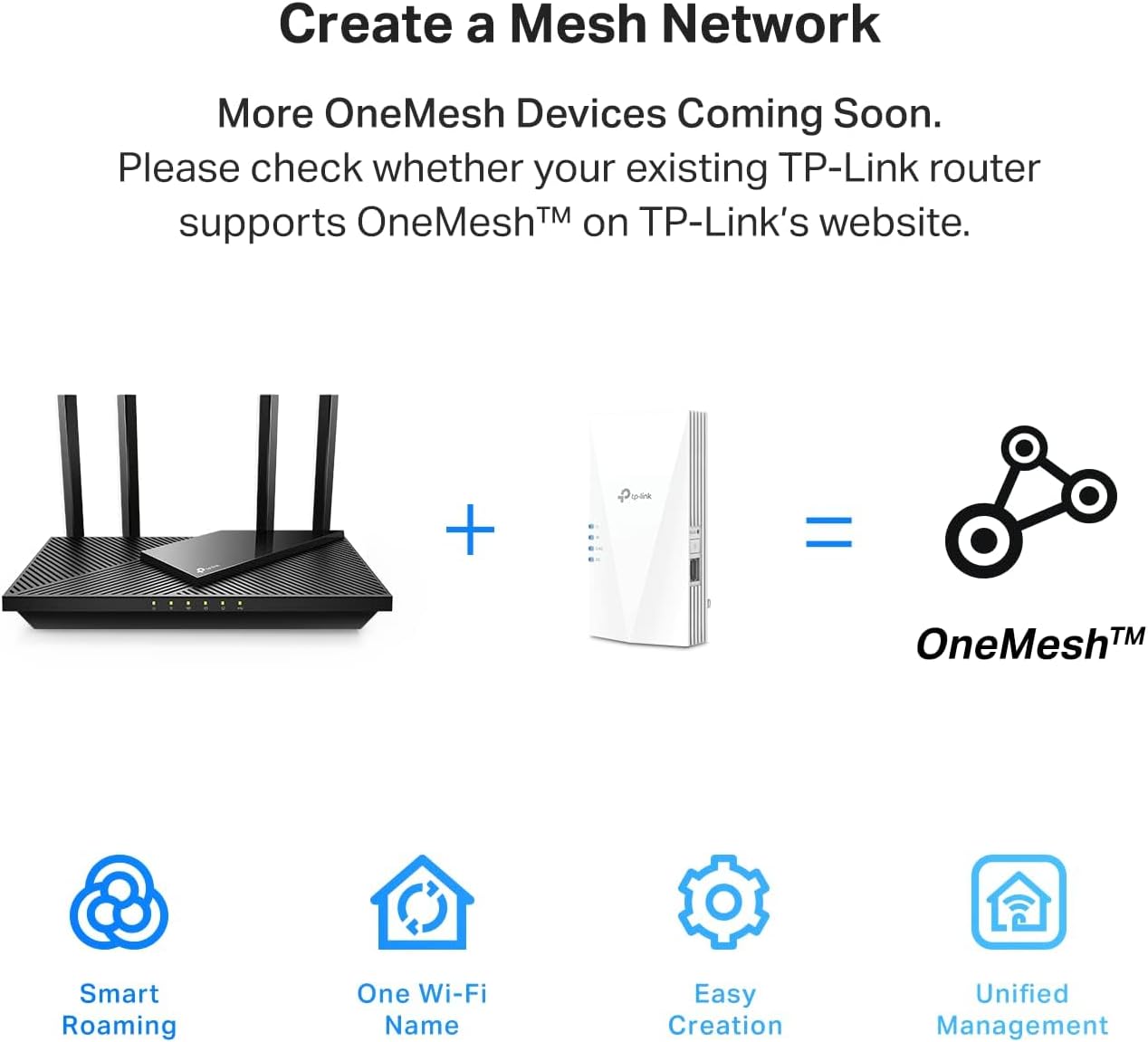
What is OneMesh™?
TP-Link OneMesh is a simple way to form a Mesh network with a single WiFi name for seamless whole home coverage. Just connect a OneMesh range extender to a OneMesh router. No more searching around for a stable connection.
WiFi Extender Signal Booster For Home: Expand high-performance WiFi with RE700X featuring 4 high-performance amplifiers to reach hard-to-cover areas.
WiFi Booster with WiFi 6 Speeds: Enjoy smoother and more reliable streaming, gaming, downloading, and more with dual-band WiFi speeds up to 3 Gbps (2402 Mbps on 5 GHz and 574 Mbps on 2.4 GHz)
Connect More Devices to Your Network: Connect more devices that are out of range from your main router while eliminating poor performance and weak WiFi
WiFi Extender with Gigabit Ethernet Port: Experience wired speed and reliability anywhere in your home by connecting your favorite device to the gigabit ethernet port
OneMesh Compatible: Create a seamless WiFi network using compatible routers and range extenders so you never have to switch networks or lose signal. Compatible router: Archer AX21
Easy Set Up in Minutes: Easily set up and manage your WiFi in a few quick and easy steps using the TP-Link Tether app (Android, iOS). Find the optimal location for the best WiFi connection with intelligent signal indicator
Universal Compatibility: The AX3000 range extender is compatible with all WiFi-enabled devices and routers or access points. It even supports new AX phones, laptops and other devices¹
Please note that all Wireless Extenders are designed to increase or improve WiFi coverage and not to directly increase speed. In some cases improving signal reliability can affect overall throughput
10 reviews for TP-Link AX3000 WiFi 6 Range Extender Internet Booster(RE700X), Dual Band, AP Mode w/Gigabit Port, OFDMA, Beamforming, APP Setup, OneMesh Compatible
Add a review

$99.99
damocles –
Solid wifi extender
I am well versed with Wifi technologies. This is a great little extender that I used in an home ASUS mesh environment. While this does not connect to AImesh it does connect easily to the environment and is compatible. I use this for a covered patio outside during the warm months of the year. I access the GUI through a web browser interface….not an app so I can’t speak to that (just old). It is a dual band extender. I usually use 5ghz for the backhaul and 2.4 for the extension channel. At max performance this device easily reaches my shed with strong signal about 100 ft away. I choose a more limited performance due to wifi interference at the 2.4 level. This works extremely well on covering the patio areas and not bleeding over into the house.This device replaces much more expensive devices (Nighthawk extenders) and works far better. At the $40 deal price that I purchased this on it can be offered up outside under the patio and is affordable to replace unlike the Nighthawks.I’ve had problems with the GUI in the past with TP Link but this web interface was straightforward and easy to follow. Its easy to plug it in and then unplug it when necessary. The boot time is long but that is the case with most network devices.The connections are solid to multiple devices and the throughput and download speeds are acceptable for 4k streaming from the internet and internal network.A worthy purchase at the price point for my use.
JDIMONTE4 –
This extender worked wonders for our lagging devices!
We have struggled with a weak wifi signal at the rear of our home for several years. I have tried the XPods and another extender type device with no luck. Lagging streaming television and weak wifi on cell phones at the further most point from our router were a constant issue until I purchased this device. My intention was to try the TP-Link AC 1900 as a wireless extender first to see if I could get the signal to improve. Setup was fairly easy after I downloaded the app and followed the guidance. This device feels well constructed and booted up quickly. Once I got it up and running, I checked the download speeds in the dead spots of my home and it did boost them… not significantly but a noticeable boost. Basically, from 1-2 Mbps to 12-15Mbps. I then decided to use the AC1900 as an access point due to the fact that it has an ethernet port. Once I figured out how to change the settings to access point, I plugged it in to a hard line that I had run prior at the rear of the house and then checked the speeds again. To my delight, the speeds were now in the 300-400 Mbps range repeatedly. This was a huge win for us as we have struggled with low internet speeds in portions of our home for years. Setup was a little confusing as I had to figure out how to name the network and set passwords so that we could access it. After reading some additional info and watching a few youtube videos, I was able to get it all up and running.The nice part was that I was able to name the new network the same as our existing network with the suffix ext to identify that it is the extended network. Same password and for the most part, our phones would recognize the stronger signal and switch almost automatically. Our streaming TV’s and my son’s headset gaming system are now booming with wifi thanks to the TP-Link Extender. I believe this is a real upgrade and solution to low wifi signals in the home. Well worth the modest investment for the increased speed and reliability of you home network.
K. Turney –
Extends the signal, but not the name
The TP-Link AC1900 WiFi range extender works well—solid signal boost and no major drop in speed. Setup was pretty easy, and it got the job done.But just a heads-up, it doesn’t act like a true access point. Instead of extending your existing SSID, it creates a new one with “_EXT” at the end. Not a huge deal, but it means your devices might not switch over as seamlessly.Would I recommend it? Yes, if you just need better coverage. But if you want one seamless network name, this might not be the solution.
Bob R. –
Dead Zones Gone—Smooth Coverage Everywhere
Setting up the TP‑Link AC1900 RE550 was straightforward, and the smart signal indicator made placement easy. I positioned it midway between my router and den, and the difference was immediate—strong, stable WiFi in every corner. Streaming, gaming, and smart devices all run without hiccups now.The dual‑band speeds keep everything fast, and the gigabit port is a bonus for hardwiring my desktop. Most importantly, my laptop connection for work is now rock‑solid—I can move between rooms without worrying about drops during video calls or losing access to cloud files. Setup through the app was quick, and the sleek design blends right into the room.For the price, this extender delivers excellent coverage, convenience, and peace of mind. Highly recommended for anyone tired of dead zones and messy connections.
Steve Pacetti –
WiFi extender. Good price
Inexpensive alternative range extender. Works well but secure your network as you should always do. Have 6 “mesh” extenders for a very difficult WiFi older home. This joined and incorporated easily to my network but some have mentioned concerns over security. Do your security review as you should do to stay private, as with any network. It’s fast and easy
Carbor Undium –
Es un equipo que compre para sustituir a otro modelo de TP link el RE650. Este equipo tiene la opcion de onemesh, que te permite unificar tu red con diversos extensores y que tus equipos se conecten al mas potente para ellos.Es muy facil instalarlo, en cuestion de 10 minutos ya esta listo y funcionando.Desgraciadamente el onemesh no funciona tan bien y los equipos se conectan indiscriminadamente a cualquiera de los extensores y al router principal. Con esto a veces la conexion se realiza al extensor mas lejano, bajando el rendimiento.Ademas de lo anterior, la potencia de estos equipos es mas baja que el RE650, estando pegado a ellos, no logran sobrepasar 200Mbps de conexion, cuando el RE650 alcanza los 500Mbps en mismas condiciones.Si la veloidad de tu red de internet es menor a 200Mbps, tal vez te funcione sin mermas en velocidad, pero si es superior a eso, jamas lo alcanzaras con este equipo.Ademas es mas caro que el RE650.
Kindle Customer –
I live in a fairly small 3 floor (duplex) house, with a small front and back yard. My wifi router from my provider is in the basement. This left me with great reception in the basement, which I rarely spent time in. Medicore reception on the main floor and basically abysmal reception upstairs, where the bedrooms are. That means anytime I would try to use the wifi for anything upstairs I would get kicked to data. Which is immensely annoying and costly as compared to using my wifi, which I already pay for. Then when I got security cameras just outside my front and back door, the wifi is so trash that I would lose connection and be unable to view live feeds.I asked my provider how to improve this, and they sent me two eero wifi boosters, which I would rent from them at an additional $12/month. These boosters can be bought on Amazon for $100 each, but with a rental from a provider I would have paid infinite amounts for them in my lifetime. Anyway, those expensive boosters did not do one thing at all, and I had the provider take them back.When I got this booster, my whole life changed. With one unit, I paid $61 with tax to own. No forever rental fee… I immediately had amazing wifi connection. I had full bars wifi downstairs, main floor, upstairs, outside and I still had access to my wifi from 4 houses away!It was so simple to set up, I am totally unskilled in this tech but I did it in about 10 minutes. It walks you through it so easily and clearly anyone could set one up. It also seems the download speeds are much faster, although I cannot entirely confirm, this is just what I have noticed from Xbox downloads and personal opinion.The app shows you how many devices are connected to the booster, how the quality of the connection is, it has the ability to block devices from the booster and scans for safety and anti-virus.I was thinking you had to have it connected by that special cord but you don’t. You can have everything connected and working properly just by plugging the machine into any outlet so long as it is close enough to pull a connection to your wifi. I put mine on the main floor when my router is in the basement and it connects everything dang near to Nantucket.Best sixty bucks spent recently, really thrilled with it. I would recommend this to anyone, especially people tricked into renting a booster from their providers. Do not spent a million dollars over your life, just spend sixty bucks and have something you own and that works.Before I couldn’t get wifi upstairs or even if I stepped one foot outside. Now I can get wifi from places so far I won’t even be. Buy it!
Scotty…M59 –
Habe eine Fritzbox 7490, die Installation war recht einfach, der TP-Link WiFi 6 Extender harmonierte aber nicht wirklich mit meiner FritzBox. Die erhöhte Reichweite, na ja sagen wir mal unwesentlich. Vergleichbar mit einem WiFi 6 Repeater von AVM, aber es kam nach einigen Tagen immer häufiger zu WLAN Aussetzern. Also Repeater und Extender neu installiert, keine Besserung. Habe dann einen AVM WiFi 6 Repeater installiert, alles läuft gut. Ich denke der TP-Link WiFi 6 Extender ist grundsätzlich ein guter Extender, aber nicht in meiner WLAN-Umgebung. Gerät zurückgesendet.
Genesis –
The TP link Wi-Fi booster is really good, it enhance the signals to other rooms.
Amazon Customer –
Melhorou muito a rede doméstica