

Magic AI Box Wireless CarPlay & Android Auto Adapter, 4G+32G Car Video Box Supports for Netflix/YouTube/TikTok/TF Card, DriveChat AI Smart Box with Dual WiFi & Bluetooth loT, Easy Setup for OEM
$99.99
Related Products




Product description


1 Wireless CPAA & Android
2 App Tools & OTA Update
3 Reliable Features
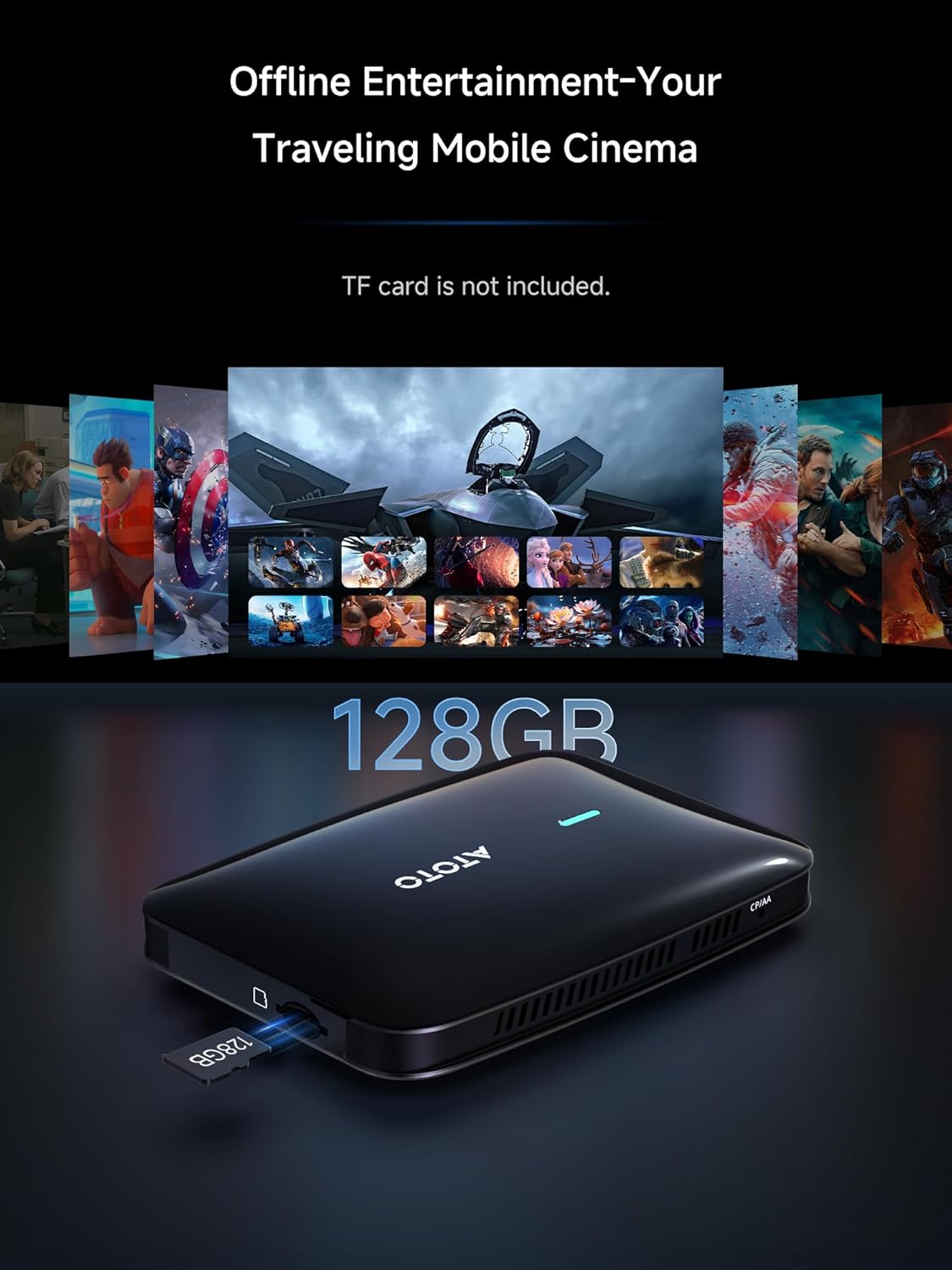
4 128GB TF Card
5 Cable Kit


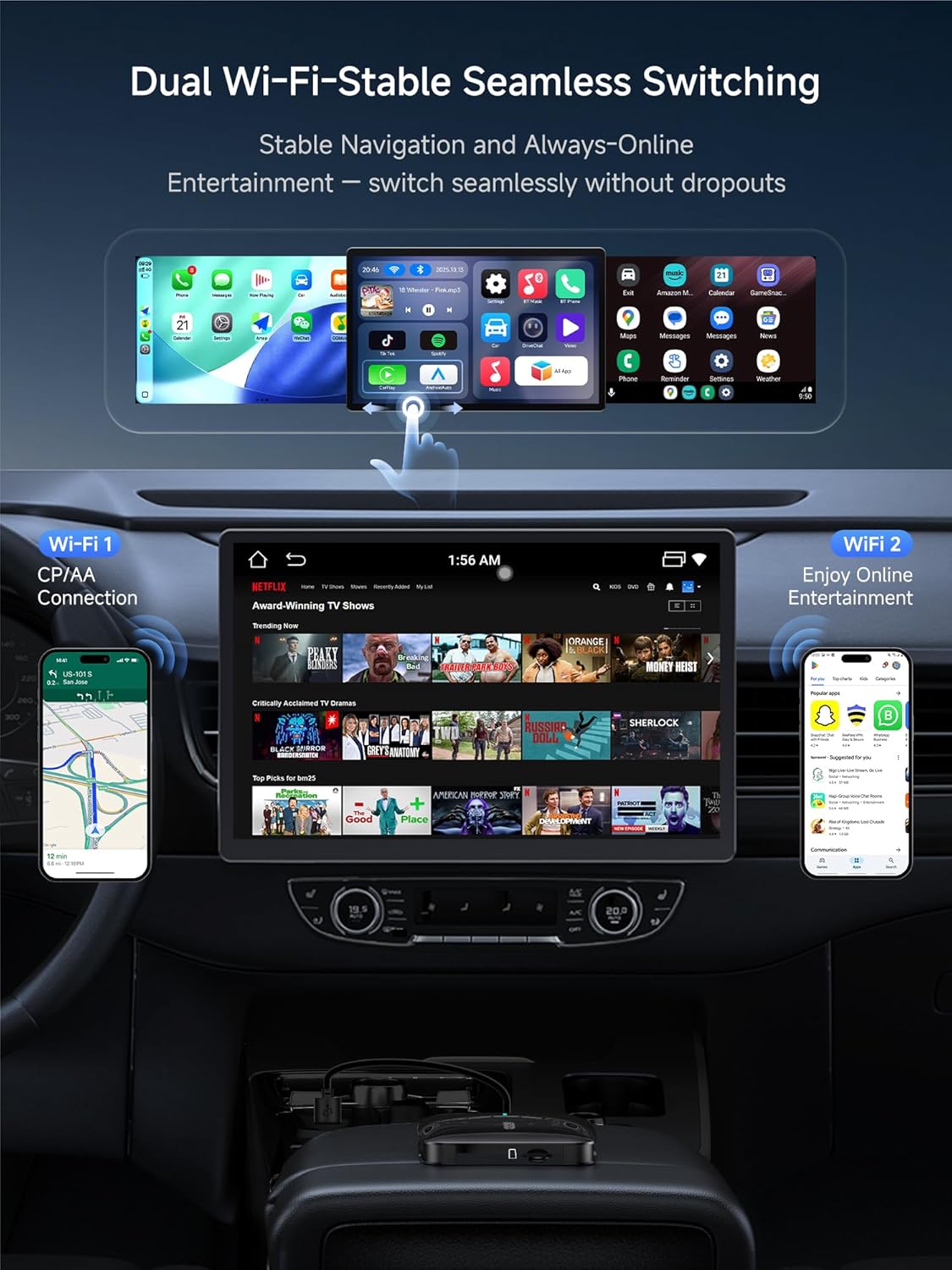
1 Dual WI-FI
2 Cooling Design
3 DriveChat AI
4 Bluetooth Auto Lock

Wireless CarPlay/Android Auto Adapters, Choose the magic ai box that suits you.
Add to Cart
Add to Cart
Add to Cart
Add to Cart
Customer Reviews
4.6 out of 5 stars 49
4.2 out of 5 stars 195
4.6 out of 5 stars 49
4.6 out of 5 stars 49
4.2 out of 5 stars 195
4.2 out of 5 stars 195
Price
$99.99$99.99
$179.99$179.99
$179.99$179.99
$176.99$176.99
$76.59$76.59
—
RAM/ROM
4G+32G
4G+64G
4G+64G
4G+64G
2G+16G
4G+32G
External storage capacity
128GB
256GB
256GB
256GB
128GB
0
Network Connection
WIFI
WIFI, 4G, BT
WIFI, 4G, BT
WIFI, 4G, BT
WIFI
WIFI
Hotspot Sharing
✘
✔
✔
✔
✘
✘
GPS Navigation(TrackHU )
✘
✔
✔
✔
✘
✘
AI Assistant (DriveChat)
✔
✔
✔
✔
✔
✔
Bluetooth Privacy protection
✔
✔
✔
✔
✔
✔
HDMI IN
✘
✘
✘
✔
✘
✘
HDMI OUT
✘
✘
✘
✔
✘
✔
Split Screen
✔
✔
✔
✔
✔
✔
OTA Update
✔
✔
✔
✔
✔
✔
Download and Install Apps
Supports apps from our store
Easily install favorite apps
Easily install favorite apps
Easily install favorite apps
Supports apps from our store
Supports apps from our store
Magic AI Box Go Wireless 4G+32G : Convert your wired CarPlay/Android Auto to wireless adapter—no head‑unit swap. A true magic box that realize wireless Carplay, Android Auto, and Android system in one.
Car Video Box Get Immersive Entertainment: Turn your car into a personal cinema! CB4B carplay ai box comes popular apps like YouTube, Netfix, TikTok. Whether you’re on a long road trip or just waiting in the car, you can enjoy non-stop entertainment right on your car screen.
Smart AI Box With DriveChat AI Assistant: Just press the steering‑wheel voice key to talk with our ChatGPT‑powered assistant for answers or box-level commands. Far more than Siri – DriveChat AI that actually thinks with you.
Dual Wi‑Fi for Seamless Use: One Wi-Fi keeps CarPlay/Android Auto navigation stable while the second powers Android apps for online music and video entertainment, ensures zero interference Wireless CarPlay/Android Auto adapter.
Reliable Thermal Design& Stable Power: Micro‑vent cooling keeps the caplay box performance smooth on long drives, and the included Y‑cable feeds steady power to prevent reboots. Note: Avoid placing the unit in closed spaces like glove boxes or armrests.
Proximity Lock for Privacy: CB4B ai box auto‑locks when you walk away and unlocks when you return via Bluetooth. Keep accounts and social apps secure without extra steps—the magic box that quietly protects your data.
Smart IoT Hub: CarWave CB4B carplay adapter connects BLE devices — footwell lights, AI LED signs, and gamepads through the CIoTHub app, turning your cockpit into a colorful, interactive space. With Bluetooth OBD II, you also get real-time car data for more confidence
Split‑Screen multitasking: Run two apps at once—driver tools on one side, while passenger enjoy videos or music on the other. Optimized memory ensures smooth multitasking without distraction or lag.
OTA Updates & care: Wireless firmware keeps features fresh. Backed by 10+ years of in‑dash tech, an AI knowledge base for quick answers, and a 12‑month warranty plus 6 extra months.
10 reviews for Magic AI Box Wireless CarPlay & Android Auto Adapter, 4G+32G Car Video Box Supports for Netflix/YouTube/TikTok/TF Card, DriveChat AI Smart Box with Dual WiFi & Bluetooth loT, Easy Setup for OEM
Add a review

$99.99
Jack –
Awesome little device!
Awesome device! Setup was quick and easy. Plug it in, and wireless CarPlay connects instantly. The HDMI in/out is a great bonus for connecting to larger screens and watching movies. and having built-in Netflix and YouTube makes it perfect for when I’m parked or for road trips, or even at home! I plugged it right into my monitor with HDMI, at it worked instantly. Very nice ability to have. The connection is fast and stable with no lag or dropouts. Overall, it’s a great upgrade that makes my car feel way more modern and convenient.
Chibuike P. Ulasi –
One of the best smartbox in the market in 2025.
So the CB7 is the latest product from Atoto. I bought the CB6 last year, and the CB7 is a significant upgrade. The CB7 has way more features than last year’s CB6. Though I did not particularly test this feature, you can plug in two external monitors to this CB7 with the mini HDMI Input/output. Also, I like that it runs Android 13 and that you can enable eSIM and a physical SIM card for the CB7. This feature was not available on the CB6. I am so happy that I can use Apple CarPlay or Android Auto wirelessly. The CB7 is way faster and smoother to use than the CB6. You can run lots of Android apps on it. I like that I can watch YouTube, Amazon Prime, Hulu, and other streaming services while parked. You can use Wi-Fi or a hotspot on your mobile phone, or enable the included SIM starter pack for 5G wireless access. I am pleased with my purchase and highly recommend this product to anyone looking for wireless CarPlay or Android Auto. It is indeed a Magic Video Box.
Camera Pro –
Great, Feature-Rich Unit!
My car has Android Auto and Apple CarPlay, but neither is wireless. I bought the Atoto CB7 to overcome this limitation and also because it is an Android OS box which opens your car’s infotainment system to a plethora of third-party apps. As long as your car’s infotainment system has either Android Auto or Apple CarPlay and a USB in, the CB7 should work with it, (check for exceptions before purchase). Setup was simple, there is a recessed button on the side of the CB7 that allows you to chose either AA or CP. Just use a paper clip to depress the button to match your infotainment system and the top of the AI box will display which one it is configured for. You will also need to configure your infotainment system to pair it with the CB7’s Bluetooth and Wi-Fi but that’s it, once that’s done the unit will automatically connect to your car’s screen and display the CB7’s home screen. If you prefer, there is a slot for a SIM card which is a nice touch. A number of apps are pre-installed but I found all of them needed to be updated. Since I run Android on my phone I entered my credentials and accessed the Google Play Store to update the apps I use and also add a few of my own. Everything worked exactly as expected and the response was snappy – which brings me to perhaps my only complaint, the bootup time on the CB7 is rather slow at almost one minute, but that probably won’t be noticed by most people as it takes time to settle-in, attach your seatbelt, etc. There is an HDMI input and output on the CB7 which is remarkable for such a small, feature-packed unit. This would be great for gamers but for fun I hooked it up to the HDMI out my Roku box and it worked perfectly. You have your choice of three included themes for the home screen but I also tried one from the Play Store called Agama Car Launcher – that also worked perfectly. Having your choice of launchers is a great option that allows for much more customization then with the included launcher. I also have an Atoto head unit in my truck and I run the Car Web Guru launcher on that unit because it is extremely customizable, but if simple and easy is your thing, the included launchers on the CB7 will work just fine. I should also mention that if you don’t care about Android OS, you can also use AA or CP wirelessly. Even though I don’t use either I tried them and they worked exactly as they would on your factory unit. All-in-all, I can highly recommend the Atoto CB7, it is a full-featured AI box that is sure to please even the discriminating buyer – pick one up today!
Genevieve –
smooth wireless connection and makes driving
Plugged this wireless CarPlay and Android Auto unit into my car and setup took only a couple of minutes. Once paired, it reconnects on its own every time I start the engine, which means no cables hanging across the console and no reaching for plugs before driving. Navigation loads quickly and the map stays responsive even when switching apps or checking music. Calls come through clear on both ends and I can answer or hang up with steering wheel controls, so I keep my hands where they should be. Music streaming is also smooth. I switch between playlists and podcasts while driving and there is no lag or sudden dropouts. The screen layout feels familiar since it mirrors what I’m used to on my phone, just easier to tap and scroll while focused on the road. I tested Siri and Google Assistant for messages and quick tasks, and both picked up my voice well without needing to shout. It really feels like a natural extension of the car instead of another piece of tech to manage. Only small thing is that the first pairing took a little patience, but after that it remembered instantly. Since then it has been plug in, start car, and everything is ready. Overall it keeps my dashboard clean, lets me use GPS and music wireless, and saves me from fumbling with cables every morning. It is for convenience, connection stability, and the way it fits into daily driving so effortlessly.
Mo salah –
Wireless, With a Few Quirks
This 2-in-1 wireless CarPlay and Android Auto adapter does a good job turning a wired setup into a cable-free one, and the initial pairing with Bluetooth and Wi-Fi is quick enough that it doesn’t feel complicated. Once connected, it switches into wireless mode reliably on most starts, and the compact design makes it easy to keep tucked out of sight. There can be a brief delay when first loading maps or music, and the reconnection speed varies slightly depending on the phone, but once everything syncs, it runs smoothly for calls and navigation. Overall it makes daily driving more convenient, just with a bit of occasional lag, so four stars feels appropriate.
駄菓子菓子 –
パッケージは接続ケーブル3種類(USB-A-C、C-C、電源補助A-A) A-C変換コネクタ 保証説明書、クイックスタートガイド お試しのSIMカードとなります。保証登録はオンラインで簡単に手続き出来ます。2020年式ヤリスHVの標準ディスプレイオーディオに接続USB A-Cのケーブルを接続するだけでスムーズに接続完了、車両からはCarPlayで接続されたと認識します。スマホとBTで接続しiphoneのCarPlayには、インストールされているSpeedPlayというアプリで簡単に接続できます。セットアップが済んでいれば、通常はケーブルを接続して30秒程度で使用状態になります。テザリングでネット接続すれば様々なソフトが簡単に使えます、プリインストールソフトも写真のよう豊富PrimeVideo・youtube等走行中でも問題なく使用できます。スマホの場所に関係なく(車内にあれば)接続してくれるので自由度が高く便利なのですが、バッテリー消費もあるのでケーブル接続だと充電しながら使用できるので一長一短ありますね。最近ケーブル接続だとCarPlayの動作が不安定だったのですが(多分ケーブルの劣化不良)それを気にしなくてもいいのはメリットの一つです、ライトニングケーブル地味に傷みやすいしキチンとしたものは高いですから…なおHDMI端子はタイプCとなり、手持ちに対応機器がないので試せていません入出力が可能とのことですので発展性も高そうです。
ry002 –
家族が乗っているムーヴ キャンバスにて使用しました。付属品はCB7本体、接続用USBケーブル3本、クイックスタートガイド、100MBのお試しSIMカードでした。HDMIケーブルが付属していないので、他のモニターに表示する時は必要になります。CB7本体側にHDMI ミニタイプCオスを2ヵ所差せます。USBケーブルを接続するだけで使用でき、標準ディスプレイオーディオの交換や複雑な配線の接続がなく、簡単接続で使用できました。本体が小型でグローブボックス内に隠せるのが良かったです。車内でbluetoothマウスをペヤリングした後、自宅のモニターにHDMIケーブルでCB7と接続し自宅で落ち着いた状態でアプリのダウンロードやCB7本体の設定をできるのが、今までの機種と違い一番便利でした。
ゆずすだち –
SL型フォレスターに簡単に接続できました。スマホをテザリングしてCPからAAに切り替えるだけで、接続可能でした。
goldstar –
起動時間もそこそこ、動作もスムース、価格的に類似商品と比して満足です。7月にMILEL MB-301を購入しましたが、すごく使いづらくての買替えです。MILELの動作が不安定で再起動を繰り返したり、起動できなかったり…、高かったので買い替えを迷っていたところ、ブラックフライデーの宣伝に惹かれて見ていたら、ついポチッとしてしました。良かったことはAmazon Musicの歌詞が最後まで表示されることです。オットキャスト系はサビの前で歌詞表示が終了してしまうので、それと比べて優良でとても満足です。
★ –
SUBARUレガシィアウトバックBT5にて使用しました。CP→AAの切り替えがなかなかうまくいかずでしたが、20秒ほど長押しして、再度10秒長押ししたら切り替えできました。その後は少し待つとカーナビのモニターに反映されスムーズにいきました!AD5での接続が叶わなかったので、こちらは接続できてよかったです。