

Govee TV Backlight 3 Pro with HDR Triple Camera, 11.8ft 5-in-1 RGBWWIC LED Strip Lights That Change with 55-65 Inch TVs, 75LEDs/m, Supports AI Filter, Smart App and Voice Control, DreamView Sync
$179.99
Related Products




Product description
The video showcases the product in use.The video guides you through product setup.The video compares multiple products.The video shows the product being unpacked. Govee TV Lights 3 Pro with HDR Triple Camera Merchant Video


1 Triple-Camera Sync
2 Color Capture
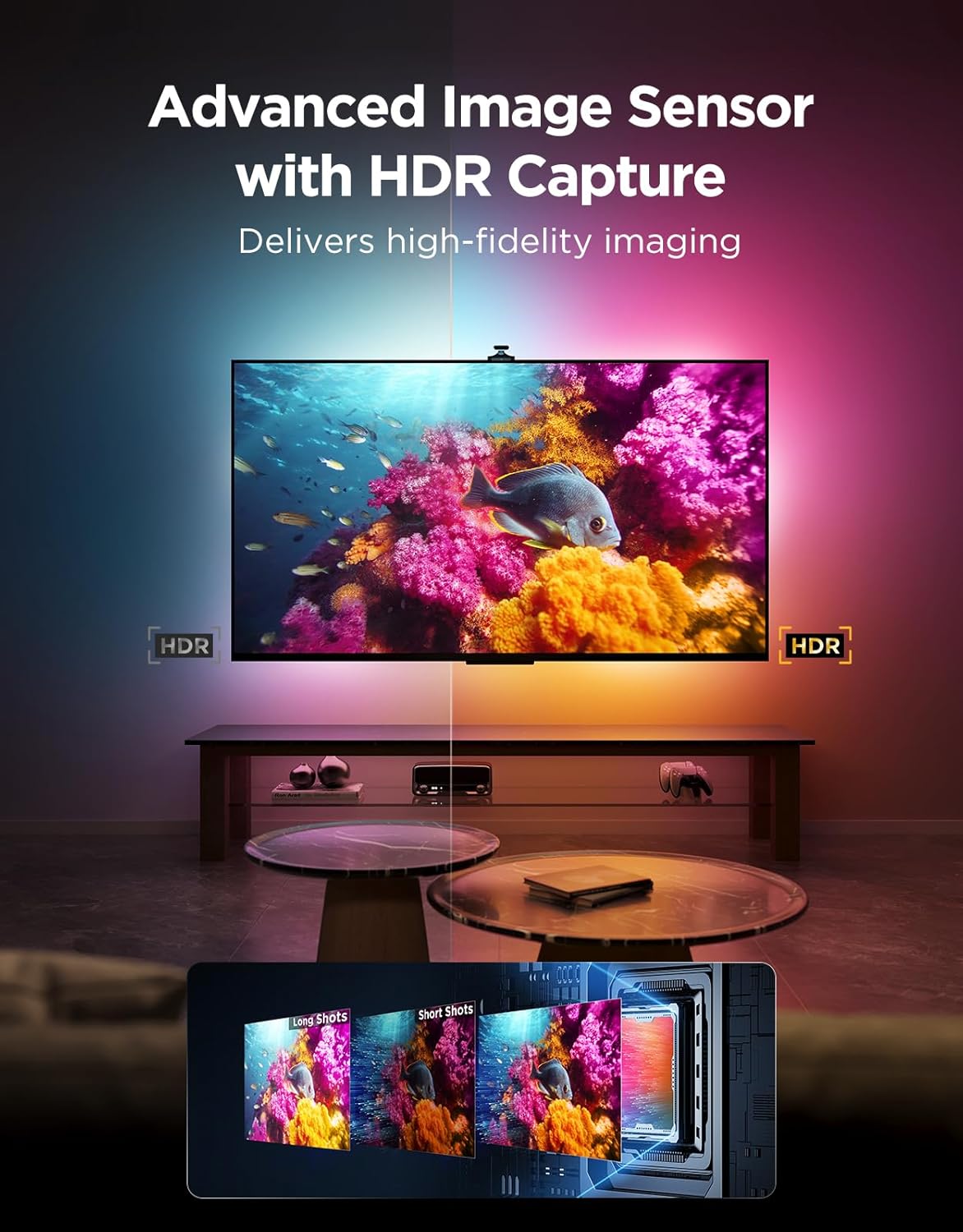
3 HDR Image Sensor
4 Binning Dual-Exposure
5 Black Bars Elimination


1 75 LEDs/meter
2 LuminBlend Tech
3 5-in-1 Lamp Beads
4 3 Versatile Zoning Modes
5 Clear Display in Daylight


1 AI Filter Function
2 Blank Screen Detection
3 Matter Compatibility
4 A Friendly Tip
5 Installation Guide


Package Dimensions : 12.05 x 8.39 x 3.66 inches; 2.47 Pounds
Item model number : H66A0
Date First Available : September 29, 2025
Manufacturer : Govee
ASIN : B0FJR9LKBQ
Customer Reviews: 4.3 4.3 out of 5 stars (188) var dpAcrHasRegisteredArcLinkClickAction; P.when(‘A’, ‘ready’).execute(function(A) { if (dpAcrHasRegisteredArcLinkClickAction !== true) { dpAcrHasRegisteredArcLinkClickAction = true; A.declarative( ‘acrLink-click-metrics’, ‘click’, { “allowLinkDefault”: true }, function (event) { if (window.ue) { ue.count(“acrLinkClickCount”, (ue.count(“acrLinkClickCount”) || 0) + 1); } } ); } }); P.when(‘A’, ‘cf’).execute(function(A) { A.declarative(‘acrStarsLink-click-metrics’, ‘click’, { “allowLinkDefault” : true }, function(event){ if(window.ue) { ue.count(“acrStarsLinkWithPopoverClickCount”, (ue.count(“acrStarsLinkWithPopoverClickCount”) || 0) + 1); } }); });
HDR Image Capture Capability: Govee TV Backlight 3 Pro’s HDR sensor fuses short and long exposures, ensuring bright scenes keep detail without overexposure and dark areas stay rich, delivering precise color sampling and theater-quality picture
High-Precision Triple Camera: The TV Backlight expands the color-pick area by 50% around the corners by using a triple-lens setup, and improves accuracy by independently capturing colors across multiple individually calibrated zones on the TV screen
High-Density TV Strip with LuminBlend Tech: Brighter with 75 LEDs/m and 5-in-1 RGBWWIC lamp beads blending cool and warm white. The built-in 16-bit chip delivers accurate colors and smoother gradients through an intelligent color-mixing algorithm
Compact 85mm Camera Length for Seamless Installation: The new small lens module has been visually reduced in size and naturally fits the curve of TV edges when installed. The Gravitational Hanging Design of the camera adapts to most ultra-thin TVs
Movie Matching Atmosphere with AI: One-tap of Govee‘s AI filter function allows these lights to extract the theme color of the specific movie or show, creating an immersive experience that matches the content’s style and atmosphere
Smart Home Integration: DreamView sync realizes lighting linkage with up to 10 other Govee lights. Watch your as your whole home is bathed in a stunning array of vibrancy. Compatible with Matter, easy to control via app, Alexa, and HomeKit, etc
Full Compatibility with Any TV Content: This LED TV Backlight can instantly capture the color of any TV screen without compatibility issues. Use Govee TV Backlight 3 Pro while streaming content, watching online videos, gaming, and more
11 reviews for Govee TV Backlight 3 Pro with HDR Triple Camera, 11.8ft 5-in-1 RGBWWIC LED Strip Lights That Change with 55-65 Inch TVs, 75LEDs/m, Supports AI Filter, Smart App and Voice Control, DreamView Sync
Add a review

$179.99
Jacqueline Arias –
Absolutely Stunning – Seamless Setup, Smart Calibration, and a Total Game Changer for Movie Nights
We purchased two sets of the Govee TV Backlight 3 Pro – one for our 55-inch TV and another for our 75-inch TV – and both have completely transformed our viewing experience.Installation was quick and straightforward, taking about 15 minutes per setup, and the Govee App integration was seamless since we already use multiple Govee products in our home.The app offers hundreds of preset scenes, AI lighting effects, voice control, and DreamView syncing, which allows the backlights to synchronize with our other Govee lights for a unified, immersive effect across the entire room.Calibration was equally easy – just attach the orange foam blocks to the screen (as pictured in the guide) and follow the on-screen prompts. The process took around 3 minutes, and ensuring no glare on the screen helps the triple camera detect edges accurately. If needed, a ring light can help reduce glare during setup.Once calibrated, the HDR triple camera delivers vivid, accurate color mapping that moves in sync with the content on screen. The result is incredible – the lighting responds instantly, creating a true cinematic atmosphere at home.These are without question one of our best purchases – stylish, functional, and deeply immersive.
The NH Tech Guy –
Finally — a Govee Upgrade That Feels Like a Real Next-Gen Jump
I’ve owned more Govee lighting gear than I care to admit, so I usually expect “incremental upgrades.” This one isn’t that. The new triple-camera head setup is a completely different beast.Installation was stupid-simple — peel, stick, plug, calibrate. The only extra step is the camera alignment, but the three-lens system actually made it easier. It reads color and contrast more accurately than the older single-camera bars, and the response time is noticeably faster. That was my biggest surprise: the lights aren’t just matching the TV anymore, they’re anticipating shifts in brightness and color like they’re sampling at a higher framerate.Picture this: you’re watching something with really fast cuts or neon-heavy scenes, and instead of the lights smearing or “guessing wrong,” they track every transition instantly. No blown-out blues, no laggy reds, no weird shadow artifacts. Just clean, high-definition ambient color that finally looks like it belongs on a premium TV setup.Brightness is strong without being a blinding mess, and the diffusion is way smoother than older models — even on a wall that isn’t perfectly flat. And unlike some backlights I’ve used, this one settles into a neutral white when the screen goes dark instead of flickering or dimming unpredictably.App control is the usual Govee experience (quick, responsive, tons of modes), but the real star here is that triple-camera system. It’s the closest I’ve seen to bias lighting that actually feels integrated with the screen rather than “trying to keep up” with it.If you want a backlight that instantly steps up your setup without any fuss, this is the one. It’s my new default recommendation for anyone serious about home theater immersion.
Erik Oberg –
Amazing effects
Easy to set up and install. Color options are great and functionality of camera is great picking up all angles of the screen color. LEDs are bright and look great reflecting off the wall.
Adam W. –
The triple camera is the way to go
I got this to try out the updated model in a different room – I have the previous model with 2 cameras set up as well. The improvements are amazing – color and light are spot on and brilliant. I liked the old model, but will be upgrading the other room after having set this up. It is a little close to fit for a 55 inch TV (the width takes it right to the edges) but to be fair Samsung TV backs are kind of odd. The app is still great for managing all Govee products and they have updated that too with some fun interactive activities that leverage community input. The only thing I don’t like is the adhesive clips they give you for cord control. For some reason they last like a day then come loose and fall off even though the adhesive seems strong – probably the heat of the TV on the small adhesive surface of the clip. I replaced them with 3M cord clips and haven’t had a problem since. Can’t wait to get another one and try out syncing with my other Govee lights.
DB –
Cool Upgraded Backlight, but Setup Takes Patience
I’ll be honest—the Govee TV Backlight 3 Pro took some time to set up, especially getting the software and triple camera tuned just right. It wasn’t plug-and-play at first, and I had to play around with the zones using full-screen color videos and color wheels to get it matching my screen perfectly. But once I got it dialed in, the lighting looked way more accurate than my old Backlight 2. The triple camera definitely helps track fast scenes better, especially during HDR content, which is a big upgrade.Installation itself was pretty simple—peeling the adhesive and sticking the light strip behind my TV. But one thing I noticed is that the strip doesn’t actually wrap around the corners of the TV, so there are little gaps. It would be sweet if Govee made a version with bendable corners to cover the whole edge. The new camera is also a bit bulkier than the one on the T2, so it sticks out a little more, but it’s not in the way once it’s mounted. Overall, it’s not perfect, but it does make watching shows and movies more immersive, especially in a dark room.Govee’s Dreamview app is easy to use once everything’s set up, and it works well with my streaming devices. It’s not flawless—sometimes the colors lag or don’t match exactly—but for the most part, it’s pretty reliable. Using vidoes of YouTube color wheels and full screen colors helped me a lot for calibration. If you’re into customizing your setup, it’s worth the effort. Just be ready to spend some time tweaking at first.
gsnice1017 –
Perfect lights
It took a minute to get my light adjusted. Now that it is I love it works perfectly with my LG TV and LG surround sound. Great with movies, video games. So many different color options to work with. Easier to work with better than the Phillips Hue in my opinion. Definitely will add other Govee lights to the collection.
Chris –
I’m using this on a 77”oled tv in a darker area and they look spectacular. Installation is pretty simple and taking the time to calibrate properly is the key to the experience. Best to buy on sale as it is a bit pricey. Amazing how good of a job it does of instantly switching to match colors on the tv screen and improving the overall viewing experience. Recommended.
Ian77 –
Far better setup, calibration, and performance.If you want to really improve performance, use YouTube to set up a gray calibration screen.
Daniel boudreau –
Good quality light but returned due to router problems.
Sean Bowes –
Maybe it’s me, but I can’t get the colours to actual match the scene. Screen is all red and orange, lights go pink and blue. Probably on my end maybe some more tinkering.
jim heuer –
Works great and fits on my 65 inch