

Aeotec Smart Home Hub, Works as a SmartThings Hub, Z-Wave, Zigbee, Matter Gateway, Compatible with Alexa, Google Assistant, WiFi
$149.99
Related Products


Product description
The Works with SmartThings Smart Home Hub

Still #1. Does it Matter? You bet it does!
This isn’t just any smart home hub—it’s the foundation of one of the world’s most trusted smart home platforms, now with support for Matter, the newest industry-standard protocol connecting devices across major brands and ecosystems.
Built on a legacy of reliability and innovation, the original Aeotec Smart Home Hubs brings together Zigbee, Wi-Fi, Matter, and cloud-connected devices into one intuitive system powered by SmartThings. Whether you’re just starting your smart home journey or expanding your setup, it gives you unmatched compatibility with thousands of connected devices—all managed by the SmartThings app by Samsung.
Simple enough for beginners, powerful enough for enthusiasts, and designed to grow with your home.
Two Hubs. One Smart Home.
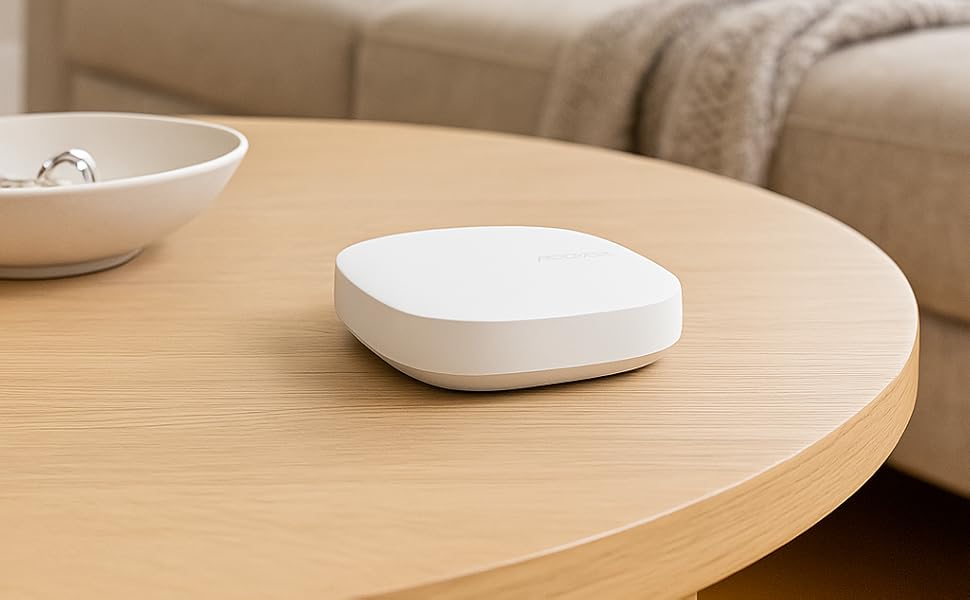
The original Aeotec Smart Home Hub (V3) brings broad compatibility with Zigbee, Z-Wave, Wi-Fi, and Matter devices, making it ideal for established multi-protocol homes. Aeotec Smart Home Hub 2 (V4) offers next-generation speed and capability with Zigbee, Wi-Fi, and Matter support—perfect for setups that don’t require Z-Wave.
Simple steps to a smarter home

Super Simple Setup 3 Easy Steps
Download the SmartThings app for iOS, iPadOS or Android from Follow the step-by-step install instructionsAdd your compatible smart devices Helpful Tips
Start with Ethernet: Begin setup with the included Ethernet cable, then switch to WiFi in the SmartThings app if preferredCheck compatibility: Before adding new devices, confirm they work with SmartThings—your device manufacturer’s site is a great place to start.Excluding old devices? Use the SmartThings exclusion tool to remove Z-Wave devices from previous systems before pairing them to your new hub.Get inspired: Visit the SmartThings Community for tips, automations, and ideas from other smart home enthusiasts.

Control It All with the SmartThings App
Wherever you are, whatever you connect, everything comes together in the SmartThings app.
Create routines, build automation scenes, and coordinate devices throughout your home. Whether you’re adjusting lights at sunset, creating a bedtime environment, or setting up a morning routine, SmartThings gives you intuitive, easy-to-use controls.
Available for Android, iOS, and iPadOS, the SmartThings app makes it effortless to: ✔️ Add and manage compatible devices that use Matter, Zigbee, (and Z-Wave if using V3 model)
✔️ Build automations in just a few taps
✔️ Acces and Control your smart home whether you’re at home or away
✔️ Coordinate routines across multiple devices for seamless experiences

Automate Everything, Just How You Like It
With SmartThings, you can create routines for just about anything you can imagine—from everyday moments to seasonal changes. Wake up to gradual lighting and a comfortable environment. Wind down with evening routines tailored to your preferences. Coordinate lighting, energy-saving settings, appliance behavior, and more.
SmartThings also supports advanced home logic for power users, allowing deeper customization thanks to APIs and developer tools.
Whether your goal is convenience, comfort, or efficiency, SmartThings helps your home run the way you want—automatically.

Organized by Room, Built for Real Life
With SmartThings, your home is as organized digitally as it is physically. Devices are grouped by room, so whether you’re adjusting the lights in the living room or checking the temperature in the bedroom, everything is exactly where you’d expect it—making control fast, intuitive, and effortless.
From the SmartThings app, you can see what’s happening in each space at a glance, manage routines room by room, and even trigger automations based on where you are. It’s smart home control that feels natural.

SmartThings for Everyday Life
SmartThings goes beyond basic control—it offers intuitive lifestyle apps designed to make managing your home feel effortless. From keeping tabs on your laundry, to monitoring your pets, to tracking your energy usage in real time, SmartThings helps you stay on top of what matters most.
These dedicated experiences are built right into the SmartThings app and are tailored to your routines. Want a notification when your laundry’s done? Curious how much energy your home is using this week? SmartThings makes it all possible—right from your phone.
Whether you’re optimizing your energy footprint or making life with pets easier, SmartThings brings it all together in one smart, simple platform.

Your Smart Home, Your Way
The SmartThings app is designed to keep your most important devices and routines right at your fingertips. Pin your favorite lights, locks, scenes, or automations to your home screen so they’re always just a tap away—no digging through menus required.
Whether it’s a go-to routine like “Good Night,” or your most-used devices like the living room lights or front door lock, SmartThings lets you customize your dashboard for fast, easy access to what matters most.
It’s smart home control that’s not just powerful—it’s personal.
Maximum Compatibility. Endless Possibilities.

Because it’s powered by the SmartThings platform, the Aeotec Smart Home Hubs works with thousands of smart devices right out of the box.
Both versions support Matter, Zigbee, Wi-Fi, and cloud-connected integrations, while the V3 model adds Z-Wave support. Building your smart home has never been simpler or more flexible.
From smart lighting and voice assistants to energy-saving devices and connected appliances, SmartThings brings them all together in a single, unified experience. Works with leading brands including Philips Hue, Samsung, Ecobee, Sonos, LIFX, and many more.
Simple enough for beginners—yet powerful enough for experienced smart home builders looking to personalize and expand their setup.
Add to Cart
Add to Cart
Customer Reviews
4.5 out of 5 stars 504
4.6 out of 5 stars 418
4.5 out of 5 stars 351
4.4 out of 5 stars 311
Price
$39.99$39.99
— no data
— no data
$33.99$33.99
Works With SmartThigns
✓
✓
✓
✓
Zigbee
✓
✓
✓
✓
Temperature Sensor
✓
✓
✓
✓
Water/Leak Sensor
✓
no data
no data
no data
Motion Sensor
no data
✓
no data
no data
Door/ Vibration/Tilt Sensor
no data
no data
✓
no data
Scene Controller
no data
no data
no data
✓
Connect & control your smart home — Easily link thousands of compatible devices from leading brands to create a connected home environment for lighting, comfort, voice assistants, energy use, and more.
Automate your routines — Build custom automations using the SmartThings app to coordinate lights, sensors, switches, and other compatible devices throughout your day. Many automations now run locally for improved speed and reliability.
Set up, manage, and automate devices using the SmartThings app on Android, iOS, or iPadOS. Works with popular voice assistants, including Amazon Alexa and Google Home.
Easy setup with Wi-Fi or Ethernet — Set up the hub in minutes using the SmartThings app. Supports both wired Ethernet and Wi-Fi connectivity.
Wide compatibility — Certified for Matter, SmartThings, Z-Wave Plus (V3 model only), Zigbee, Wi-Fi, Google Home, and Alexa. Designed for use in North America.
10 reviews for Aeotec Smart Home Hub, Works as a SmartThings Hub, Z-Wave, Zigbee, Matter Gateway, Compatible with Alexa, Google Assistant, WiFi
Add a review

$149.99
Nick M. –
Compatible with LeakSmart Sensors and Water Valve
This is an excellent product which is very easy to set up using Samsung SmartThings app.I purchased the hub primarily for use with my LeakSmart sensors and valve. The company behind LeakSmart (not Aeotec) is out of business now. I was able to pair all the sensors and valve successfully, and configure ‘Routines’ easily; Those determine when the valve should close (Hint: When there is a water leak…).Some info for other LeakSmart users: In order to pair the valve, you have to remove the valve’s backup batteries, disconnect the valve from AC power, then put the Aeotec Hub into pairing mode, and insert the batteries into the valve. The Hub found it immediately.I had a harder time pairing the sensors, but was able to pair all 4 after a few attempts. First, I put the Aeotec into pairing mode, then removed batteries from a sensor, inserted the batteries, and held the black button at the bottom of the sensor for about 2 seconds. Some of the sensors paired within 30 seconds, but with some I had to repeat the procedure several times. I am sure this is a LeakSmart thing and not Aeotec issue.I wish SmartThings offered Apple HomeKit integration, but for my particular application it wasn’t an issue.Overall I recommend the hub.
techieTroy –
It’s working perfectly! Just what I needed!
I bought this when our smart home service went away, which used Z-Wave devices. I bought this for its compatibility with those, with other common smart device standards, and with my Philips Hue hub, as well as with Google Home/Assistant (and Amazon Alexa) for voice control. The Aeotec Smart Home Hub connects with and is managed through Samsung SmartThings, which works super well and provides for preset automations. (And there is a web interface for advanced functions, if needed.) And then by linking SmartThings and Google Home, I can control all the devices connected through the hub by voice, and set up voice controlled automations. I’m really pleased with the setup I landed on, and this hub is the critical piece. I think it’s a really good value, and there’s no subscription service to pay for. I’m just thrilled it’s all working so well!!
Barron Henley –
My Smart Home Solution
I’m a certifiable smart home nerd (everything in my house is controllable from app or voice – all wall light switches (I use GE Enbrighten Z Wave switches), smart plugs, garage doors, thermostat, exterior door locks, blinds, appliances, security system, etc.). I had a 2nd gen Samsung SmartThings hub and decided to upgrade to the latest-greatest Aeotec version. I would have given this straight 5 stars, but very, very unfortunately, they don’t have a transfer utility to move devices from an earlier version of the hub to the new one. Since I use all Z-wave devices, each one of the over 70 devices in my home had to be reset before I could connect them to the new hub. 3 of the wall switches just wouldn’t reset no matter what I did so I had to replace them even though they worked fine with the old hub. Anyway, after spending a (beyond annoying) weekend methodically resetting and adding each device, we’re all good to go and everything works great. The Alexa skill for SmartThings works great and Alexa picks up new devices I add instantaneously; and since SmartThings handles all of the main wireless smart home standards, you can connect just about anything to it. Plus, the SmartThings app is easy and intuitive; and I love the automations you can create (such as locking all of my exterior doors at 10 PM every night, turn on my garage outside lights at midnight and off at 5 AM every day, etc.).
MAE –
Best in breed for category – versatile and powerful without excessive tech skills
I think that unless you want to go with the fully customizable, but you really gotta dive in, Home Assistant, or you are going with the extremely expensive managed platforms by companies that specialize in home automation and theaters, you can’t really beat this particular niche. So it’s pretty powerful, and SmartThings has a great community and if you want to learn and get very custom, you certainly canBut if you want pretty powerful out of the box, along with lots of abilities, since it says Z wave, zigbee, matter, Wi-Fi… This is pretty good.I am only outgrowing it because of my desire for extreme customization on the rules side. So home assistant will be next for me.I guess my main issue is that they do not handle cameras very well nor very many of them. You can get a custom driver but I didn’t find it working very well. Right now it seems like Tapo is one of the better solutions and Aqara door doorbell video really doesn’t good job on it!But for having something that can get a lot done and is very versatile, yet doesn’t require extensive training, this is probably about as good as they get. I like it more than Apple but I still use a couple of the apple features just because I have the iPhone and iPad. I’ve got a door locked that can use NFC off of my phone. That’s a no-brainer
andre –
Great hub for Spring windows fashion (Bali Blinds)
I order two shades from Blinds.com from Bali one for $750 and the other for $400 est… Anyways I was told by SWF (Bali) that you can use them with Alexa if you order this Zwaves Switch they have… 1 the directions are horrible so I had to get on the phone with customer service. We finally got the things working but than the remote wouldn’t work in the end I had to toss the hub and use the remotes… Anyways I came across this and it took like 15 minutes to setup the blinds and the skill from alexa works way better then the one from Bali which took a 30 seconds to a minute before the commands. SWF should stop sending those crappy hubs and send this one
Race Coach –
I had the 1st generation SmartThings hub and purchased this for new home. Works well and SmartThings app has come a long way in the past 3 years. In addition many of the Z-Wave devices have also improved greatly. I have used SmartThings to automate many things in my home (door locks, inside and outside lights, garage door). eg. Light inside the house by garage turns on for 10 minutes (then turns off) when the garage door opens. Light inside garage turns of when motion is detected and lights turn off automatically after 10 minutes (in case I forget). The possibilities are endless. Installing devices with the app can be frustrating and time consuming and is the hardest part. Once installed, scenes and automations are easy to create. Before purchasing an add-on device, make sure it is compatible with SmartThings and check reviews. Some work better than others.
Gustavo Vazquez Arredondo –
Lo instalé en la sala y el control recibe las señales de dispositivos en mismo nivel de la casa, no he probado el alcance para un segudundo o tercer piso. Hasta ahora funciona según lo esperado. El único detalle que creo lo especifica en manual, que no funciona sin internet.
B. Wilson –
Very expensive but easy to install. i hooked up an old zigbee door lock from Roger’s in minutes. Does support a vast amount of devices.
Lenin G. –
Aun no puedo vincular Sensores de Movimiento Marca Ikea ….se supone que deberìa poderse
Carlos David Cortes Aceves –
No fue compatible con la mayoría de mis electrodomésticos y dispositivos inteligentes. Casi todo lo que tengo es LG y Steren.