

acer 4K Webcam for PC/Mac with All-Metal Unibody Sculpted, Sony 1/2″ Sensor, PDAF, 2 Noise Reduction Mics, Privacy Cover, Lightweight, Fast Cooling, Streaming Camera for Live Meeting Commerce Gaming
$69.99
Related Products







From the brand


4K Webcam-See It Real
Acer Gadget aims to provide diverse products and services across numerous industries, enhancing customers’ lifestyles.
This webcam’s 4K Sony sensor and instant focus make every call crystal clear. The sleek aluminum body stays cool, while the magnetic cover protects your privacy. Just plug in and shine.


Acer Gadget

[4K Premium Image Quality] With UHD 4K resolution and a large Sony 1/2″ CMOS sensor, this acer webcam for pc delivers balanced, true-to-life visuals with HDR, exceptional low-light performance, and superior light capture for clearer, brighter, detail-rich,idea for streamers, gamers, and creators, this 4K webcame delivers an exceptional experience for you and your audience.
[So Precise, It Feels Manual] Crafted from aerospace-grade aluminum with precision CNC machining, this 4K webcam features a seamless unibody design that’s both durable and elegant. Its Apple-grade sandblasted matte finish delivers a premium feel, while the all-aluminum body ensures fast heat dissipation for reliable 24/7 video performance.
[PDAF Autofocus] Keep your audience engaged with advanced Phase Detection Autofocus (PDAF), delivering faster, more accurate, and more stable focusing than standard autofocus—ensuring crisp, clear 4K video without blurriness in any scene.
[Dual High-sensitivity Digital Mics] The web cam with dual high-sensitivity digital microphones, this 4K webcam captures your voice clearly from up to 2.5 meters away while filtering out wind, keyboard clicks, and other ambient noise—delivering exceptional audio clarity in most scene.
[Plug and Play] Connected by a single USB-A connection, this plug-and-play loptop webcam is instantly ready to use—no drivers, apps, WiFi, or Bluetooth required. By relying solely on a secure physical connection with local data storage, it eliminates wireless signal risks, making it ideal for professionals and privacy-focused environments.
[Magentic Privacy Cover Design] This 4K streaming webcam features a protective cover with 12 powerful built-in magnets that snap securely over the lens, keeping your privacy safe and blocking any unwanted peeks.
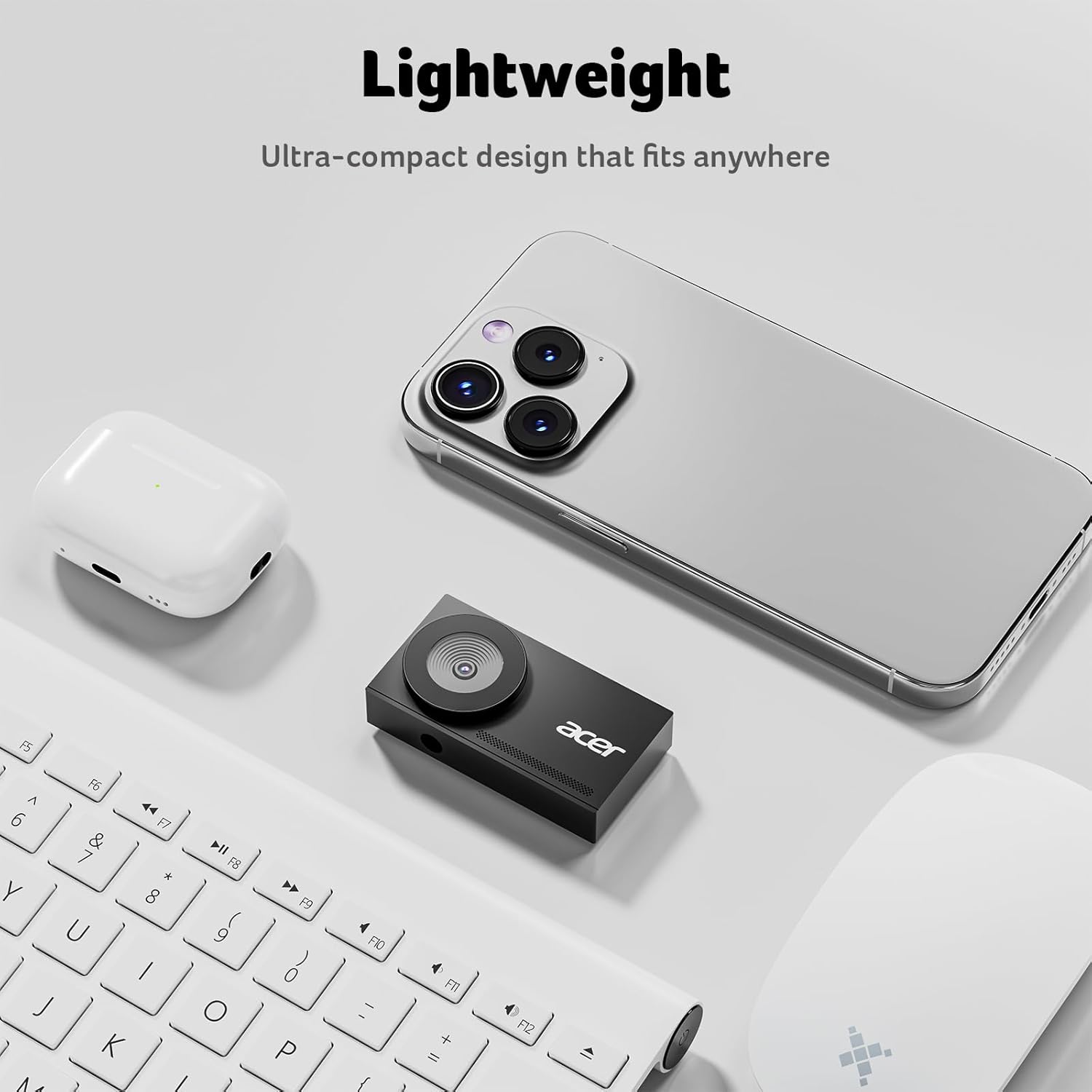
[Compact & Lightweight] At just 57 grams—about the size of a pair of earbuds—this 4K webcam is ultra-portable, letting modern mobile workers take HD video calls and recordings anywhere, from cafés to co-working spaces.
[Universal Compatibility] Works seamlessly with Windows, Mac, and ChromeOS, supporting all major video conferencing and streaming platforms like Microsoft Teams, Zoom, Twitch, and more for a hassle-free experience.
13 reviews for acer 4K Webcam for PC/Mac with All-Metal Unibody Sculpted, Sony 1/2″ Sensor, PDAF, 2 Noise Reduction Mics, Privacy Cover, Lightweight, Fast Cooling, Streaming Camera for Live Meeting Commerce Gaming
Add a review

$69.99
Sanjay DC –
Good Quality
I’m really impressed with this webcam. The 4K quality is sharp and clear, and the Sony 1/2″ sensor makes a big difference in low light—it captures details that other webcams miss. The autofocus is fast and reliable, so I don’t have to worry about adjusting it during calls or recordings. The dual noise reduction microphones pick up my voice clearly without background distractions, which is perfect for meetings and streaming. It’s lightweight, well‑built, and the privacy cover is a thoughtful touch. Overall, this webcam delivers excellent performance and is worth every penny.
Melissa –
Crisp 4K Quality with Smooth Autofocus – Great for Work & Streaming!
I’ve been using this Acer 4K webcam for a few days now, and I’m honestly impressed. The image quality is super sharp and clear, even in low lighting, thanks to the Sony 1/2” sensor. The autofocus is fast and accurate, which is great for work meetings where I move around a lot. The dual noise-reduction microphones pick up my voice clearly without too much background noise, and I love the privacy cover for extra peace of mind when I’m not using it. It’s lightweight but feels sturdy with the aluminum alloy design, and it doesn’t overheat even after long use. Works great on both my Mac and PC, and setup was truly plug-and-play. Whether you’re video conferencing, teaching online, or streaming, this webcam is a solid choice. Highly recommend!
Tanmay –
Clear crisp and perfect webcam for meetings & gaming
This webcam is a massive upgrade for meetings and streaming. The Sony 1/2″ sensor and PDAF autofocus deliver truly stunning, crisp 4K quality. The build is solid with that aluminum, and mics are fantastic. The included privacy cover is the perfect final touch. Absolutely worth the investment for top-tier video!
Yaakov –
Amazing quality
The Acer 4K webcam with the Sony 1/2-inch sensor is a serious upgrade over standard webcams. The 4K resolution makes video extremely sharp, and the large Sony sensor captures more light, which is perfect for low-light environments. Colors are vibrant and natural, and skin tones look accurate without needing extra filters. Setup is plug-and-play, and the build feels solid and premium.
Julio Truzzi –
Low brightness
Low luminosity but excelente detail. I had to use logitune to bump the brightness. With that in mind it’s an excelent camera.
Minh Pham –
Truly 4K resolution, Mic is clear
This 4K webcam feels like a serious upgrade. The picture quality is insanely clear thanks to the Sony sensor, and the autofocus is super fast. The build is also feel premium, durable and lightweight, and I love the magnetic privacy cover for peace of mind. I’ve test the output resolution and it is definately 4K res. The MIC is extremely clear. Perfectly for my office Video call and Zoom meeting with customers. Pricier side, but you can really see where the money goes
Benny T –
Great upgrade from 2k webcam
I’ve been looking to upgrade the webcam I use for work and this has been perfect. It’s super clear and I love the wide angle it captures, which adds more depth. The quality is also much better than the camera I use for gaming, so I may use this instead. The video quality is very clear and great for streaming. The autofocus also works well. In terms of compatibility, it works with my work Mac and my gaming PC.
Rahul Verma –
Sharp 4K Video with Great Autofocus
This webcam delivers incredibly clear 4K footage, and the autofocus locks on quickly without hunting. The dual noise-reduction mics capture clean audio, and the metal build with a magnetic privacy cover is a great touch. Super easy USB setup and performs well even in dim lighting.
Brian –
This webcam is *very* clear. Clear, good framerate, and high resolution. It’s bulky, but I don’t need it to be small. It’s perfect! I’m using this for my office meetings, but I will buy another one for making DIY videos.
Yimco –
The Acer WBC-OE014K webcam presents as a premium device from packaging to construction.The entire casing is metal with a beautiful matte black finish. Measuring 6.8 × 3.5 × 1.5 cm, the camera has a lens positioned to one side, reminiscent of a traditional camera layout. The lens housing protrudes only 3 mm and is protected by a polished clear filter. A well-crafted flat metal lens cover is included; it fits precisely and attaches magnetically.The opposite side features the Acer logo and a slim longitudinal LED indicator flanked by two stereophonic microphones. The bottom of the unit has a standard ¼-inch tripod screw mount, and the package includes a metal monitor-mounting adapter with a sturdy, premium feel.A single USB-C port at the back provides the computer connection, and a USB-A–to–USB-C cable is included. Although the device is marketed as a 4K Ultra HD webcam, no USB-C SuperSpeed cable is supplied.The webcam is plug-and-play with no drivers or proprietary software required. Documentation, however, is limited, and no online manual is available. More notably, this model does not appear on Acer’s official global or regional websites, and the support email provided is not affiliated with Acer. In the consumer-electronics industry, this usually suggests that the product is manufactured by an OEM/ODM supplier and sold under a licensed—or semi-licensed—brand arrangement, rather than being part of Acer’s supported product line. While this does not detract from the hardware quality, potential buyers should be aware that warranty coverage and technical support may not be handled by Acer.Windows 11 recognises the device as a generic webcam, and the built-in Camera app offers only basic controls and does not access the 4K capability. Using the third-party app Capture View 4K, I achieved a maximum resolution of 4000 × 3000 at 15 fps. A USB-C SuperSpeed cable was required to obtain 4K at 30 fps.Video quality is excellent on my LG 4K monitor. The Sony ½-inch CMOS sensor produces a sharp, clear, jitter-free image with accurate colour reproduction. Autofocus performance is acceptable but not particularly fast and somewhat inconsistent.The built-in microphones capture clean, good-quality audio suitable for voice applications. The noise-cancellation function works well and suppresses most background noise.Overall, this is a premium-quality webcam with excellent build quality and strong video and audio performance. However, prospective buyers should be aware that despite carrying the Acer logo, the camera does not appear to be an officially supported Acer product—a discrepancy that has implications for documentation, firmware updates, and after-sales support.
N –
Remote work and online meetings have become so normal, it’s wild to think we ever tolerated grainy camera feeds. Enter Acer’s 4K Webcam, loaded with a Sony 1/2″ sensor, PDAF autofocus, dual noise reduction mics, and a few thoughtful design touches that punch way above its price.Why a High-Quality Webcam Matters When You Work from HomeWorking remotely, your webcam becomes the way you show up in the world. In a meeting or virtual interview, you’re often just a face and a voice on someone’s screen. If your image is fuzzy or your audio keeps cutting out, it’s harder to connect, be taken seriously, or just communicate quickly and clearly. With a crisp 4K feed, colleagues see every detail, a reassuring smile, a quick reaction, and real eye contact. You look professional, engaged, and present. Great audio is just as vital. When background noise fades and your voice comes through clearly, it cuts down on the “Sorry, what was that?” interruptions and helps you drive the conversation. With so much of your work life happening through a lens and mic these days, investing in a webcam that gets both right is one of the simplest upgrades you can make for your career.Let’s talk first impressions. The brushed aluminum body feels solid, definitely not that flimsy plastic you get with cheaper cams. It stays remarkably cool, even through hours-long calls or a marathon gaming session. The lightweight build doesn’t tip your laptop screen, and the privacy cover slides cleanly into place, which is more comforting than you think when you realize how many things are streaming from your device.Where Acer’s cam sets itself apart is the video quality. The 4K resolution, combined with Sony’s 1/2″ sensor, is instantly noticeable. Your face actually looks like your face, even with bad lighting, and PDAF autofocus means you can move around without landing in a blurry mess. For streamers and those who flail their hands during meetings (you know who you are), it’s a huge upgrade.Audio usually gets ignored on webcams, but Acer didn’t phone it in. The two noise reduction mics pick up your voice cleanly and cut background chatter to a dull hum. No more apologizing for barking dogs or the neighbour’s leaf blower.Little extras round out the package: plug-and-play on both PC and Mac, a long USB cord, and build quality that feels premium without being bulky. Setup is genuinely simple, with no weird driver glitches.Now, it’s not perfect. At this price, Acer could’ve tossed in a tripod mount, and if you’re obsessed with ultra-wide angles, you might want something with a little more field of view. But those are small nits for a camera that seriously outclasses your laptop’s built-in cam or most of what you find at the big box stores.Bottom line: If you’re done settling for potato-quality video (or audio that sounds like it’s underwater), Acer’s 4K Webcam is worth every penny. Whether you’re presenting to a client, running a Twitch stream, or just want to look sharp for the weekly Zoom family roast, this is the upgrade you’ve been waiting for.
Ryan –
This acer 4k webcam is a good, small basic monitor-mounted webcam for video calls and chats in either a personal or business setting, although it lacks some of the features more expensive streaming-oriented cameras have. The build quality is excellent, and composed primarily of metal, for the stand, the camera casing, and the removable magnetic privacy cover. The stand is independent of the camera, and attaches via a standard tripod camera screw into a hole in the base, so you actually can mount this to any standard tripod too. The picture quality does output at 12 MP (4k resolution), though in video streaming tests the framerate didn’t climb above 30 fps, and in an online webcam test it stabilized at only 19 fps, so video isn’t entirely smooth. The magnetic privacy cover is a very nice touch, as it’s just a metal disk you pop on and off at will with a soft pad to prevent damage to the camera lens. It’s is powered by a removable USB-C cable, which is quite long and gives ample room to connect from the top of a monitor to the back of a desktop PC on the floor. The removable nature of the power camera is great for a few reasons: it makes it easy to store away, you can replace it if damaged (versus an integrated cable), and you can always exchange it for length. Worth noting is the USB ends of this cable have orange plastic rather than blue, which usually means it can deliver 3 amps instead of the usual 2 amps.Picture quality, autofocus, and the locked zoom level were all good.If there is one drawback here, it’s the mixed bag of the lights. The camera does have a front-facing LED that shows status. Red is offline, purple is online and on an open video call, and light blue seems to be online for photos but not in an active internet-connected stream. The problem with this is at no point do the indicator lights shut off; they’re always active and fairly bright. Even the red, which is intentionally designed not to be a blinding colour, is quite bright. It would be preferable if it had an auto-off period where the light goes out after a timeout, or simply only activate the light if its actively recording.
HonestReviews –
4 out of 5 Stars (4.2)⭐⭐⭐⭐[REVIEW UPDATES][TL;DR][QUALITY] (5/5)[VALUE] (4/5)[EASE OF USE] (3/5)[MET EXPECTATIONS] (4/5)[PACKAGING] (5/5)[REVIEW REMARKS]This Webcam comes well packaged and protected. I like that there was nothing moving in the box.A smaller camera indeed. The size of the camera was a bit of a shock. It is much smaller than my current camera. The camera installs on a screw in style mount that can be used on desktop or on the top of your screen. The body of the camera is metal. This is a good material to guard against overheating.It is a plug and play device and you do not need to install drivers to get the camera to work. However, I think that there must be a better driver available. I cannot get 4K resolution on my device. There is no setting to select, and the manual does not mention what to do to set to 4K. This can be a bit of an issue for novice users.The included cable is a white coloured braided USB-A to USB-C, with a very generous length. I do love the braided style of cable for durability, but I am not a fan of the white cable to connect with a black coloured device. The USB cable does stand out significantly.The privacy features are welcomed. The magnetic lens cover is appreciated. It does not take much fiddling to get your lens cover off or on again. There is a red light that is always on, and a greenish/blue light when the camera is live and capturing video. I realize the need for this, but the red light is a little much and you should be able to customize the setup to only come on when camera is live and hot.In spite of not being able to enter 4K resolution, the video and photo quality is excellent. This is perfect for video conferencing, streaming video, or shooting self portraits. It works well inside the Camera APP of Windows 11 and OBS studio.All in all, it is a decent web cam. I am a little disappointed that I could not download a current driver, or similar, to upgrade the resolution. I have another camera that is able to achieve the 4K setting, so I can rule out my computer being the issue. The privacy is solid and the setup was easier than expected. This is a well rounded camera that is perfect for streaming and video conferences, larger resolution may ultimately cause issues bandwidth wise. However, if you are shooting a video and saving it to HDD, the 4K would be handy. The value is decent and the quality is excellent, for what I can see. I am happy, but I would be much happier if I could get the 4k Settings to work.Recommended.In the event that experiences change or evolve, updates may be made to this review to address such developments.